Temporary Email for Testing 🚀 | Free Disposable Email – DisposalMail

Introduction to Temporary Email for Testing
Email communication plays an important role in modern websites, mobile applications, online businesses, and digital platforms. Almost every online service requires an email address for account registration, identity verification, password recovery, notifications, or important updates. But what happens when developers need to test these features repeatedly? Using a personal email account for every experiment can quickly become frustrating. Your inbox may fill with automated messages, promotional emails, duplicate notifications, and unnecessary verification codes. This is where temporary email for testing becomes a practical solution.
A free disposable email service allows developers, website owners, quality assurance professionals, and ordinary internet users to receive temporary messages without exposing their primary email addresses. Instead of creating multiple permanent accounts, you can generate a disposable email address and use it for suitable testing activities. DisposalMail.com offers a convenient browser-based temporary email experience designed to make receiving test messages easier. Whether you are checking a website registration form, testing an email confirmation process, or examining automated notifications, a temporary inbox can help simplify your workflow. It provides a separate place for short-term messages while keeping your regular mailbox organized.
Temp Mail – Free Temp Mail Service : DisposalMail 🚀 Try It Online
What Is a Temporary Email Address?
A temporary email address is a short-term email address that allows users to receive messages without using their primary email account. It is commonly called disposable email, temp mail, throwaway email, or temporary inbox. The basic concept is simple: generate an email address, provide it to a website or application, and receive incoming messages through the temporary inbox. Once the testing activity is complete, you can stop using that address.
Temporary email is particularly useful for developers who regularly work with registration systems, email verification features, newsletters, and automated notifications. For example, imagine you are developing a new online shopping website. Before launching it, you need to check whether customers receive confirmation messages after creating accounts. Instead of using your personal email repeatedly, you can use temporary addresses for suitable exploratory tests. This makes it easier to inspect different messages without creating unnecessary permanent email accounts.
However, temporary email should not be confused with a permanent mailbox. It is designed for short-term convenience rather than long-term communication. Always check the service's retention policies before relying on it for any information you might need later.
How Disposable Email Works
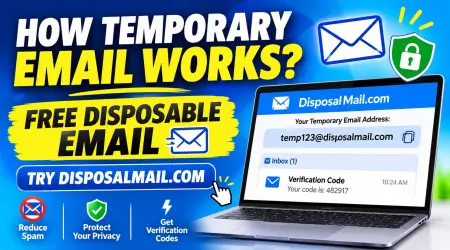
Disposable email services simplify the process of receiving messages through temporary addresses. A service generates or assigns an email address and provides an inbox where incoming messages can be viewed. You can copy the address, enter it into a website registration form, and wait for the platform to send its message.
When an email arrives, the temporary inbox displays the available message so you can inspect its sender, subject, content, and relevant links. Depending on the provider, you may also receive verification codes or supported attachments.
The general workflow includes:
- Open a temporary email service.
- Generate or select a disposable email address.
- Copy the address.
- Enter it into your test registration form.
- Trigger an email from your application.
- Open the temporary inbox and inspect the message.
- Record your testing results and finish the test.
This process makes temporary email a useful option for quick manual testing and exploratory quality assurance.
Why Developers Need Temporary Email for Testing
Developers need reliable ways to test how their applications communicate with users. An email system might look perfect during development, but unexpected problems can appear when real messages are generated. A registration confirmation might contain an incorrect link, a password reset email might display broken formatting, or an automated notification might never reach its destination.
Temporary email can help developers investigate these situations without repeatedly involving their personal mailboxes. It provides a convenient recipient address for checking whether an application sends the expected messages. Developers can also use different temporary addresses to examine how their systems behave when multiple accounts register or request notifications.
For small businesses and independent developers, this approach can reduce unnecessary setup work. Instead of maintaining numerous personal email accounts for simple experiments, they can use disposable inboxes for suitable manual checks.
Temporary email is not a complete email-testing infrastructure, though. Automated testing, production delivery monitoring, and sensitive authentication workflows require more controlled solutions. A temporary inbox works best as a convenient addition to a broader testing strategy.
What Is a Disposable Email and How It Works?
Testing Website Registration and Login
Website registration is one of the most common areas where email testing becomes necessary. When visitors create accounts, many websites send confirmation messages to verify that the provided address can receive email. Developers must ensure that the registration process works correctly from beginning to end.
A temporary email address can help test this workflow. Enter the address into your registration form, submit the required information, and check whether the confirmation message reaches the inbox. Inspect the message to make sure the subject line, sender information, branding, and verification link appear correctly.
You can also examine different situations, including repeated registrations, invalid email formats, and expired confirmation links. These tests help identify problems before customers encounter them.
Login-related email features can also benefit from testing. For example, some applications send notifications when users sign in from unfamiliar devices. You can inspect these notifications during controlled development tests.
Always use authorized test accounts and avoid using disposable addresses to bypass another website's security restrictions.
Testing Email Verification and OTP Delivery
Email verification helps websites confirm that users can access the email addresses they provide. Many platforms send a one-time password (OTP), confirmation code, or clickable verification link during registration.
Testing these features is important because a small error can prevent users from completing registration. A verification message might arrive too late, contain an expired code, or include a link that points to the wrong destination.
With a temporary inbox, developers can perform suitable manual checks by triggering verification messages and observing the results. They can examine whether the expected email arrives, whether the message contains the correct information, and whether the verification link leads to the intended page.
For secure testing, pay attention to code expiration, single-use behavior, and repeated verification requests. The OWASP Email Validation and Verification Cheat Sheet recommends time-limited, single-use verification tokens and warns against activating accounts before verification is complete.
Temporary email helps inspect the receiving experience, but it should not replace proper testing of authentication security.
How to secure your emails and accounts!
Discover DisposalMail.com
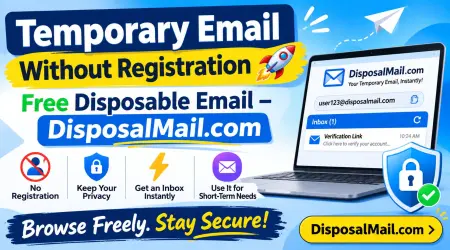
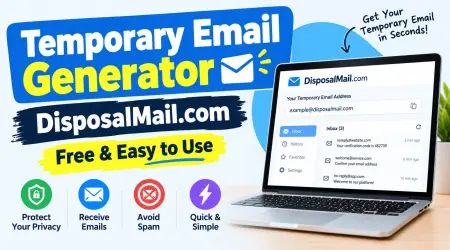
If you need a convenient temporary inbox, DisposalMail.com is an online service worth exploring. It provides free temporary email functionality through a browser-based interface, allowing users to access disposable email without completing a traditional registration process.
The platform is designed for people who need a quick way to receive messages without sharing their primary email address with every website they visit. Its interface presents an available inbox and options for changing the email alias and selecting from available domains.
For developers, this can be useful when checking whether a website sends registration confirmations, automated notifications, or other test messages. For ordinary users, it offers an additional layer of separation between personal communication and short-term online activities.
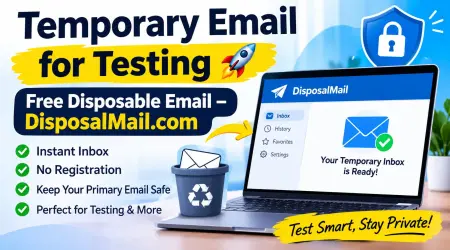
DisposalMail also advertises features such as instant inbox updates, email history, favorites, and unlimited temporary email creation. The actual availability of individual features may change, so check the live website for current options.
Visit the official website: https://www.disposalmail.com/
Key Features of DisposalMail
DisposalMail focuses on accessibility and convenience. Instead of requiring users to configure a traditional mailbox, it provides a temporary email experience through its website.
Here are some of its advertised features:
1. Free Temporary Email: Users can access the basic temporary email service without a subscription.
2. No Traditional Registration: You can start using the temporary inbox without completing a conventional email account signup.
3. Multiple Email Domains: The interface provides domain selection options, allowing users to choose from available domains.
4. Custom Email Aliases: Users can change the email alias to create a different temporary address.
5. Instant Inbox Updates: The service advertises real-time inbox updates to make incoming messages easier to check.
6. Email History: The interface provides an email-history feature for managing available messages.
7. Favorites Feature: Users can save selected messages for easier access when supported by the service.
8. Browser-Based Access: You can use the service through a web browser without installing dedicated desktop software.
These features make DisposalMail a convenient option for short-term email activities and exploratory testing.
Benefits of Using Free Disposable Email
Free disposable email offers several practical advantages for people who frequently interact with online services. One of the biggest benefits is that it helps separate temporary activities from permanent communication. Every time you register on an unfamiliar website using your primary email address, you may receive additional promotional messages or notifications. A disposable address can help reduce that unnecessary exposure.
For developers, temporary email can simplify manual testing. It allows them to inspect incoming messages without repeatedly using personal accounts. This can make quick experiments more organized, particularly when several registration scenarios need to be checked.
Another advantage is convenience. Creating a traditional email account may require additional information, passwords, and verification steps. A temporary email service can reduce this setup process when the task only requires receiving a short-term message.
The following benefits make disposable email useful:
- Better inbox organization: Keep many one-time messages away from your main mailbox.
- Privacy separation: Avoid sharing your primary address with every unfamiliar website.
- Faster experiments: Create temporary recipient addresses for suitable manual tests.
- Less unnecessary spam: Reduce the promotional messages reaching your regular inbox.
- Simple access: Use a browser-based inbox without installing additional software.
- Flexible testing: Examine different registration and notification scenarios.
Remember that disposable email does not guarantee complete anonymity. Websites may still collect information such as IP addresses, browser details, device information, and activity data.
Free Temporary Email Without Registration | DisposalMail
How to Use DisposalMail for Email Testing
Using DisposalMail for a basic email test is straightforward. You do not need to create a conventional mailbox before starting. Open the website, use the available temporary address, and copy it into the appropriate testing form.
For example, suppose you have developed a new website and want to check its account registration process. First, open DisposalMail.com and obtain a temporary address. Next, visit your development website and enter that address into the registration form. Submit the form using your authorized test information.
Your application should then generate its usual confirmation message. Return to DisposalMail and check the inbox for the incoming email. If the message appears, inspect its content and verify that the information matches your application's expected output.
This simple process can help identify problems with email templates, subject lines, sender details, and verification links. If something does not work, investigate the application's email configuration, delivery provider, and server logs.
How Temporary Email Works 📧 | Free Disposable Email Guide
Step-by-Step Testing Process
Follow these practical steps when performing a basic manual email test:
Step 1: Open DisposalMail.com
Visit https://disposalmail.com/ using your preferred web browser. The temporary inbox interface allows you to get started without a conventional account registration process.
Step 2: Get a Temporary Address
Use the available email address or select another alias and domain through the interface, depending on the options currently provided.
Step 3: Copy Your Email Address
Copy the temporary address carefully. A small typing mistake can cause your test message to be delivered somewhere else or rejected.
Step 4: Open Your Testing Website
Navigate to your own development website, staging environment, or authorized test application.
Step 5: Enter the Temporary Address
Use the copied address in the email field of your test registration form.
Step 6: Trigger an Email
Submit the form or perform the action that causes your application to send a confirmation message.
Step 7: Check Your Temporary Inbox
Return to DisposalMail and look for the incoming message. Check its sender, subject, content, and any relevant links.
Step 8: Record Your Results
Document whether the message arrived, whether its formatting was correct, and whether the expected functionality worked.
By following these steps, you can perform basic manual email checks without filling your personal inbox with unnecessary test messages.
Common Email Testing Scenarios
Temporary email addresses can support several types of exploratory testing. One common scenario is checking a new website's registration process. Developers can register a controlled test account and inspect whether the confirmation email arrives as expected.
Another scenario involves newsletter subscriptions. If your application allows visitors to subscribe to updates, you can examine the subscription confirmation message and verify that its content is displayed correctly.
Password reset testing is another important area. Developers can trigger a password reset for an authorized test account and inspect whether the message contains the expected instructions. However, sensitive recovery testing should use controlled test infrastructure rather than relying on a temporary public inbox.
E-commerce developers can also test order notifications in a staging environment. For example, they might check whether an order confirmation includes the correct order number, product details, and delivery information. These tests should use fictional customer data and a non-production environment.
Temporary inboxes are also useful for examining:
- Contact form notifications.
- Account activation messages.
- Welcome emails.
- Newsletter confirmation messages.
- Application alerts.
- Promotional email templates.
- Basic email attachment delivery.
For automated test suites, use dedicated mail-capture software or a controlled email-testing provider instead of depending on a temporary public inbox.
Free Random Email Generator Online
Temporary Email vs. Regular Email
Temporary email and regular email services both allow users to receive messages, but they serve different purposes. A regular email account is designed for ongoing communication, account recovery, personal correspondence, and important notifications. A temporary email address is intended for short-term activities where a permanent email address may not be necessary.
For example, you might use a permanent mailbox for banking notifications, employment applications, and business communication. On the other hand, a temporary address may be appropriate for a one-time website experiment or a low-risk registration that does not require long-term access.
| Feature | Temporary Email | Regular Email |
|---|---|---|
| Account setup | Often no registration | Usually required |
| Intended use | Short-term activities | Long-term communication |
| Inbox lifespan | Depends on provider | Usually ongoing |
| Personal email exposure | Can reduce exposure | Uses your primary address |
| Account recovery | Not recommended | Suitable when properly secured |
| Testing convenience | Useful for manual tests | Useful for controlled tests |
| Long-term storage | Not guaranteed | Usually available |
| Cost | Often free | Free and paid options |
Neither option is perfect for every situation. Choose the one that matches your requirements and the importance of the messages you expect to receive.
Security, Privacy, and Responsible Testing
Privacy is one of the main reasons people choose disposable email. Giving your primary email address to every unfamiliar website can increase unwanted communication and expose that address to services you may not trust.
A temporary email address creates separation between your main mailbox and selected online activities. However, it does not automatically make you anonymous or protect every piece of personal information.
You should also remember that some temporary inboxes may have different access and retention arrangements. Never assume that a disposable address is private, confidential, or suitable for sensitive information unless the provider clearly explains its security model.
When using DisposalMail or another disposable email provider, follow these precautions:
- Never use temporary email for banking or financial accounts.
- Avoid receiving confidential business documents or medical information.
- Do not use disposable inboxes for important password recovery.
- Avoid sharing personal information in test messages.
- Use fictional data in development and staging environments.
- Do not open suspicious links or unexpected attachments.
- Review the provider's privacy policy and retention information.
For developers, responsible testing also means avoiding real customer information. Use controlled test accounts and ensure that verification messages cannot accidentally reach real users.
Limitations of Temporary Email Services
Although temporary email is convenient, it has limitations that users should understand before depending on it.
The first limitation is address acceptance. Some websites maintain lists of disposable email domains and may reject temporary addresses during registration. This means your test might fail even when the email service itself is working correctly.
The second limitation is message retention. Temporary inboxes are not designed to guarantee permanent access to received messages. If an address expires or becomes unavailable, you may lose access to its inbox.
Another consideration is delivery reliability. Incoming emails may sometimes be delayed, filtered, or rejected because of sender configuration, domain reputation, or recipient restrictions. A message that does not appear immediately does not necessarily mean your application has a broken email system.
Temporary inboxes also cannot replace comprehensive deliverability testing. Developers who need to examine spam placement, authentication, bounce handling, and rendering across different email providers should use dedicated testing tools.
Understanding these limitations helps you select the right tool for each job instead of expecting a disposable inbox to perform every email-related function.
Best Practices for Developers and QA Testers
A good email-testing strategy begins with a clear understanding of what you want to test. Are you checking whether an email arrives, whether a confirmation link works, or whether the HTML template displays properly? Each objective may require a different testing method.
For quick exploratory checks, temporary email can provide a convenient recipient address. For repeatable automated tests, use a controlled test mailbox or mail-capture solution that integrates with your development environment.
You should also maintain separate development, staging, and production environments. This prevents experimental messages from being confused with genuine customer communication.
Consider creating a small testing checklist that covers the sender address, subject line, message body, verification link, delivery result, and expected behavior. Repeat the same checks after important changes to your email templates or delivery configuration.
The UK Government Service Manual recommends checking that emails are readable across email clients and successfully delivered to popular email services. This highlights an important point: successful message generation does not necessarily prove that every recipient will receive or display the email correctly.
Finally, document your testing results. Recording errors and successful checks makes it easier to identify recurring problems and improve the reliability of your application.
Conclusion
Temporary Email for Testing 🚀 | Free Disposable Email – DisposalMail.com offers a practical way to separate short-term email activities from your primary mailbox. Whether you are a developer, website owner, QA tester, freelancer, or everyday internet user, disposable email can make certain online tasks more convenient.
DisposalMail.com provides a browser-based temporary email experience with features such as free access, email alias options, multiple domains, instant inbox updates, email history, and favorites. These features can help users receive suitable test messages without going through a traditional email registration process.
From checking website registration forms to inspecting confirmation messages and automated notifications, temporary email can support a variety of manual testing activities. However, it should not replace permanent email accounts, secure authentication systems, or professional email-testing infrastructure.
Ready to simplify your next email experiment? Visit DisposalMail.com and explore its free disposable email service. Keep your primary inbox organized, make your testing workflow more convenient, and choose the right email solution for every online task.
Frequently Asked Questions (FAQs)
Q1. What Is Temporary Email for Testing?
Temporary email for testing is a disposable email address used to receive short-term messages while checking websites, applications, registration forms, and email notifications. It helps developers and testers examine email functionality without repeatedly using their personal email accounts.
Q2. Is DisposalMail.com Free to Use?
DisposalMail.com advertises free access to its temporary email service without requiring a subscription for its basic experience. Users can access its temporary inbox and explore available features through the website.
Q3. Can I Receive OTP Verification Codes with Temporary Email?
Yes, temporary email addresses can receive OTP codes and verification messages when the sending website accepts disposable email domains. However, some websites block temporary addresses, so delivery is not guaranteed. alternative
Q4. Is Temporary Email Safe for Website Testing?
Temporary email can be useful for low-risk website testing because it helps reduce exposure of your primary email address. However, avoid sending confidential information, real customer data, financial details, or sensitive authentication information through public disposable email services.
Q5. Can Developers Use DisposalMail for Automated Email Testing?
DisposalMail can be useful for basic manual testing and exploratory checks. For repeatable automated tests, continuous integration, delivery monitoring, and detailed email analysis, developers should use dedicated email-testing infrastructure with controlled inboxes and appropriate APIs.