Temp Mail – Free Temp Mail Service : DisposalMail 🚀 Try It Online
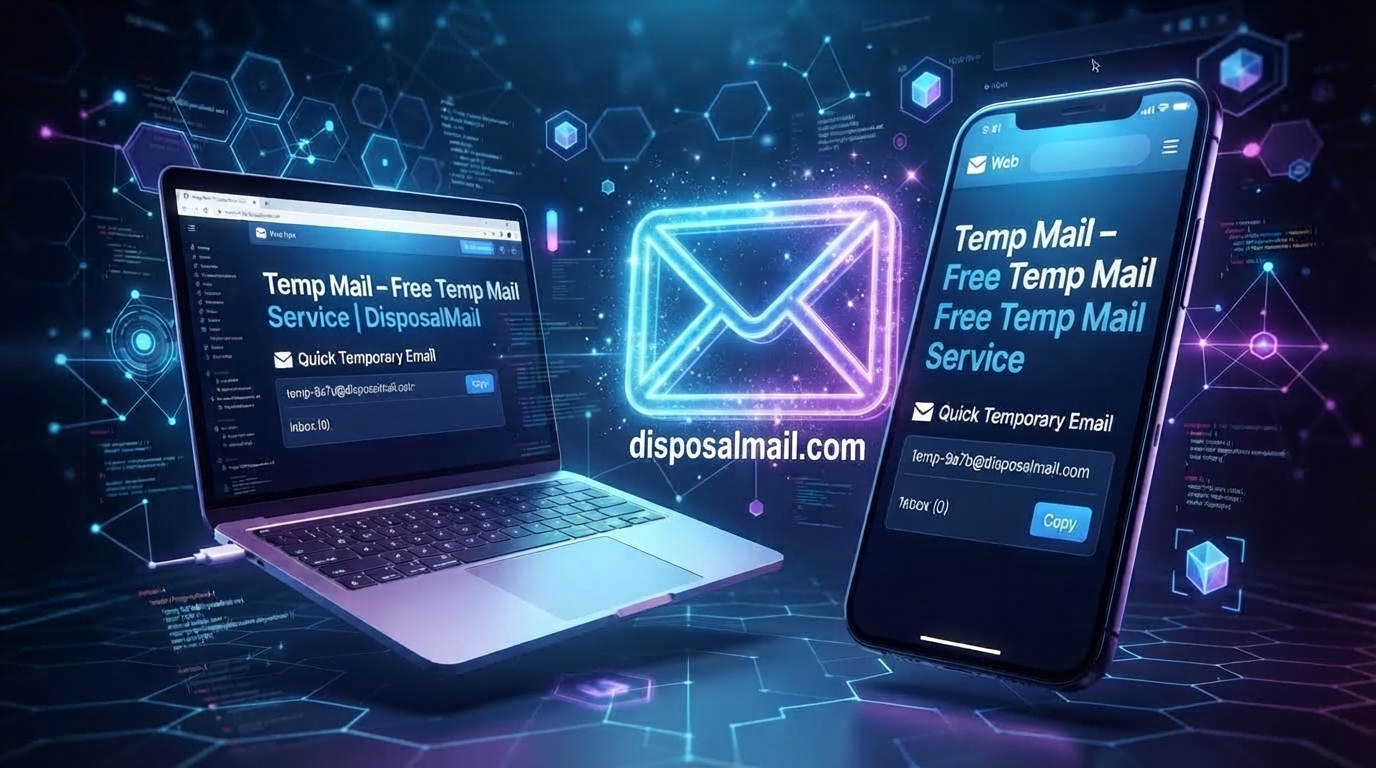
The internet has made it incredibly easy to discover new websites, apps, tools, communities, newsletters, downloads, and online services, but there is often one small obstacle standing between you and the content you want: your email address. A website may ask for an email before showing a download, letting you create an account, sending a verification code, or allowing you to try a service. Giving your personal email every time can eventually create a crowded inbox filled with marketing messages, promotional offers, notifications, and unwanted subscriptions. This is where temp mail, also known as Temporary email, disposable email, or throwaway email, becomes useful. Instead of handing over your everyday address, you can use a short-term email address for a task that does not require a permanent communication channel. DisposalMail is designed around this simple idea, providing a free Temporary email service that can be accessed through a browser without the traditional registration process. The service currently presents features such as instant inbox updates, multiple domain choices, email aliases, message history, favorites, and free temporary address creation. For someone who wants a quick privacy layer between their primary inbox and unfamiliar websites, the concept is straightforward: create a temporary address, receive the message you need, complete the task, and move on. The important part is understanding both the convenience and the limits of the technology so you can use temp mail intelligently rather than treating it as a replacement for your permanent email account.
What Is a Disposable Email and How It Works?
What Is Temp Mail?
Temp mail** is a short-term email address created for situations where you need to receive an email but do not want to expose your primary mailbox. Think of it as a temporary waiting room for messages. Instead of allowing every website, promotion, forum, trial, or online form to know the address you use for important personal communication, you can provide a disposable address for lower-risk interactions. The temporary inbox can receive messages such as confirmation emails, verification links, notifications, or other ordinary communications, depending on the capabilities and policies of the service you use. Once the temporary address is no longer needed, you can stop using it or allow its temporary lifecycle to end. This makes temp mail particularly useful when you are unsure whether a website will continue contacting you after the initial interaction. The idea is not complicated, but the privacy advantage can be significant because your main email address is not unnecessarily distributed across dozens or hundreds of websites. Privacy organizations have also described disposable addresses as a practical way to reduce unnecessary exposure of a permanent email address. The key distinction is that **temp mail provides separation, not magical anonymity**. A disposable address does not automatically hide every piece of information a website can collect, and it should not be considered a substitute for strong passwords, multifactor authentication, secure browsing, or sensible online behavior. Used for appropriate low-risk activities, however, temporary email can be a convenient privacy tool.
How to secure your emails and accounts!
How a Temporary Email Address Works
The basic process behind temporary email is surprisingly simple. First, a service generates or assigns an email address that can receive incoming messages. You then use that address on a website or application that requires email communication. When the website sends a confirmation message, code, link, or notification, the message appears in the temporary inbox rather than your normal mailbox. You can open the message, complete the necessary action, and then leave the temporary address behind when the task is finished. Some services provide random addresses, while others may allow users to select aliases or domains. DisposalMail's current interface, for example, provides options for changing an email alias and selecting a domain, making the process more flexible than simply accepting one automatically generated address. The important concept is that the inbox is intended for short-term or limited-purpose use rather than becoming your permanent digital identity. Because temporary services can have different retention rules, users should never assume that an important message will remain available indefinitely. If a message contains something genuinely important and the service permits it, save the necessary information before abandoning the inbox. This short-lived design is exactly what makes temporary email attractive: it can act like a disposable container. You use the container when necessary and avoid filling your permanent mailbox with communication that you may never want again.
Why People Use Temp Mail
People use temporary email for many different reasons, but the most common motivation is simple: they want more control over where their email address goes. Every time you enter your personal address into an unfamiliar form, you create another connection between your identity and an online service. Sometimes nothing happens. Other times, the website sends newsletters, promotional messages, reminders, or third-party marketing that you never really wanted. A temporary address can create a boundary between your normal communication and these lower-priority interactions. It can also be helpful when testing an unfamiliar website, downloading a resource, joining a discussion forum, or completing a one-time verification. Developers and testers have another reason to use temporary addresses: they may need to simulate new users without repeatedly involving their personal inboxes. Students and researchers can also find temporary email useful when exploring online resources that require a basic email registration. The attraction is not necessarily secrecy; it is **compartmentalization**. Think of your primary inbox as your permanent home. You probably do not want every person, shop, website, and stranger who asks for your address to know where you live. A temporary mailbox works more like a disposable forwarding point that you can use for a limited interaction. That separation can reduce clutter and unnecessary exposure. Still, responsible use matters because some websites prohibit disposable addresses, and some temporary inboxes are not appropriate for confidential information. The smartest approach is to use temp mail selectively, matching the temporary nature of the address to the temporary nature of the task.
Protecting Your Primary Email
One of the clearest advantages of temp mail is that it can help keep your **primary email address** out of situations where it does not need to be shared. Your main inbox may contain years of personal conversations, work communications, account recovery messages, receipts, subscriptions, and other information that you would not want to lose. Giving that address to every website increases the number of places where it can be stored, exposed, leaked, or used for marketing. A disposable address creates an extra layer between those websites and your everyday communication. If you sign up for a low-risk service using a temporary address and that service later sends hundreds of promotional messages, those messages do not have to clutter your primary mailbox. If a low-trust website suffers an email database leak, the exposed address is not necessarily your main identity address either. Privacy International similarly describes disposable email addresses as useful for reducing unnecessary exposure of permanent email addresses and limiting some forms of cross-site tracking. This does not mean a temporary address makes you invisible. A website can still collect information such as IP-related data, browser characteristics, account activity, payment information, or other identifiers depending on what you provide and how its systems operate. The real benefit is narrower and more practical: **you share less of your permanent email identity**. That can be a meaningful improvement in everyday digital hygiene, especially when you regularly encounter websites that demand an email address for access to relatively unimportant content.
6 Mistakes to Avoid in Work Emails
What Is DisposalMail?
DisposalMail is a web-based temporary email service focused on providing quick access to disposable inboxes. Its current service interface presents a free temporary email experience without requiring users to complete a conventional registration process before creating an address. The homepage provides an automatically available inbox and options for changing the email alias and domain. It also advertises instant incoming messages, multiple email domains, an email-history feature, favorites, and unlimited temporary email usage. These features are aimed at people who want a quick way to separate one-time online activities from their normal email account. The basic experience is designed around speed: rather than opening a traditional mailbox, choosing a password, confirming an account, and configuring a profile, the user can begin with a temporary address and wait for incoming messages. That simplicity is one reason disposable email services have become popular among users who frequently test websites or encounter registration forms. At the same time, users should understand that a temporary inbox is not the same thing as a secure permanent mailbox. The service should be treated according to its intended purpose. If you are dealing with banking records, legal correspondence, medical information, employment documents, password recovery for an important account, or anything else that you may need to access months later, a permanent mailbox that you control is the safer choice. DisposalMail is better understood as a convenient short-term email layer for appropriate online interactions.
Key DisposalMail Features
DisposalMail's current feature set emphasizes convenience and quick access. Users can work with a temporary address without going through a traditional sign-up process, and the service provides an inbox for incoming messages. Its interface also presents **email alias and domain controls**, allowing users to change the address rather than being permanently tied to the first generated identity. The service advertises real-time inbox updates, which are particularly useful when you are waiting for a confirmation email or verification message. Another useful feature is email history, which gives users a way to review previously handled messages within the available service environment. A favorites function is also presented for keeping selected messages easier to find. The service states that temporary addresses can be created without subscription fees and that usage is unlimited. These features make the platform appealing for quick, repetitive tasks where creating a conventional email account would be unnecessary overhead. Imagine needing a temporary key to open a room for five minutes. You would not want to build an entire house simply to obtain that key. In the same way, you may not want to create a permanent mailbox just to receive one confirmation email. The exact lifetime and accessibility of temporary addresses can vary, however, so users should not assume that every address will remain available forever. The best way to use the feature set is to think about the task first, determine whether a disposable address is appropriate, and then use the temporary inbox only for the information necessary to complete that task.
How to Get a Free Temp Mail Address
Getting a temporary email address is generally much faster than creating a traditional email account. With DisposalMail, the basic workflow begins by opening the service in a browser and using the temporary inbox presented by the site. The interface provides an email address that can be used where an email is required for a suitable low-risk purpose. If you want a different identity, the interface provides controls for changing the email alias and choosing from available domains. Once you have an address you want to use, copy it and paste it into the registration or contact field on the website you are using. Then return to the temporary inbox and wait for the incoming message. If the service receives the email, it should appear in the inbox interface, allowing you to read the relevant confirmation or notification. The process is deliberately lightweight because the entire purpose of temp mail is to avoid unnecessary account creation. Still, users should pause before using the address. Ask yourself whether you might need the account again later. If the answer is yes, a permanent email address is usually more appropriate because losing access to a temporary inbox can make account recovery difficult or impossible. You should also avoid putting confidential personal information into a temporary inbox. A quick workflow does not automatically mean every situation is safe. The smartest temp-mail user is not the person who uses disposable email everywhere; it is the person who knows **when a disposable address is appropriate and when it is not**.
Top Ten Formal Business Email Template
Step-by-Step Guide to Using DisposalMail
The easiest way to approach DisposalMail is to think of the process as a short five-stage workflow: create, copy, receive, verify, and finish. First, open DisposalMail and identify the temporary address displayed in the inbox. Second, copy that address and use it only on the website or service where a disposable address makes sense. Third, return to the inbox and wait for the expected message, such as a confirmation email or one-time verification message. Fourth, open the incoming message and complete the required action on the original website. Finally, once the task is complete, stop using the temporary address or remove the relevant message if the interface gives you that option. This workflow is particularly convenient because there is no need to maintain another conventional password-based mailbox for a single short interaction. It also helps users establish a habit of separation: important communications stay in the permanent inbox, while disposable interactions remain in the temporary environment. If you need to use a different alias or domain, the current DisposalMail interface provides controls for changing those details. Before downloading an attachment or clicking a link inside any email, however, apply normal security judgment. A temporary inbox does not transform a suspicious message into a trustworthy one. Phishing links and malicious files can still be dangerous regardless of which email address receives them. The FTC continues to recommend caution with unexpected links and attachments, making message-level security just as important when using temp mail as it is with ordinary email.
Best Uses for Temporary Email
There are many situations where **temporary email** can make sense, particularly when the interaction is short-lived and low-risk. Website testing is one obvious example. If you are checking whether a service requires registration before allowing access to a feature, a temporary address can keep the experiment separate from your everyday inbox. Downloading a free resource is another common use because some websites require an email before providing an ebook, template, guide, software download, or similar material. You may also encounter newsletters or promotional offers where you want to evaluate the content without committing your personal address to a long-term mailing list. Developers and quality-assurance teams can use disposable addresses when testing email verification flows, registration processes, and other user journeys. Students may use them when exploring websites for research or educational resources, provided the site's terms permit disposable addresses. The important principle is **low risk plus short duration**. If the account has no meaningful long-term value, temporary email may be appropriate. If losing access could cost money, destroy important records, or prevent you from recovering an account, temporary email is the wrong tool. You should also respect website rules because some platforms block disposable domains specifically to reduce abuse or fraudulent registrations. Responsible use therefore means more than simply finding a free inbox. It means understanding the purpose of the service, reading the relevant website rules, and choosing the appropriate email type for the situation.
Temp Mail for Website Sign-Ups and Verification
Website registration is one of the most familiar situations for temporary email. Many online services ask for an email address before allowing a user to access a feature, download a resource, participate in a community, or start a trial. If the interaction is genuinely temporary, a disposable address can provide a practical alternative to exposing your everyday inbox. You enter the temporary address, receive the verification message, retrieve the necessary code or confirmation link, and complete the registration process. This can be particularly helpful when you are evaluating a website that you have never used before. Instead of immediately connecting the service to your primary communication channel, you can create a boundary while you decide whether the service is worth using regularly. However, there is an important distinction between **temporary registration** and **important account ownership**. If you intend to keep an account for a long period, use purchases, store valuable data, or rely on password recovery, a permanent email is usually the better option. Some websites may also reject temporary domains, so a registration attempt may fail even when the email address itself is technically valid. That is not necessarily a problem with your inbox; it may simply be a policy decision by the website. In those cases, use a legitimate permanent email if you genuinely trust the service and intend to maintain the account. Temp mail works best when the account is disposable too. When the account matters, the recovery channel should matter as well.
Temp Mail for Software Testing and Development
Temporary email is not only useful for ordinary internet users. **Developers, QA testers, and product teams** can use disposable addresses to examine how an application handles email-based workflows. Imagine building a registration page and needing to test the experience of a brand-new user. Instead of repeatedly creating permanent personal accounts, a temporary inbox can help you receive confirmation messages and inspect the user journey. Testing can include registration emails, confirmation links, password-reset messages, onboarding notifications, and other transactional communication. This is particularly helpful when a developer wants to separate test activity from real personal accounts. However, disposable inboxes should not automatically replace dedicated development or email-testing infrastructure. A proper testing environment may provide more control over message capture, automated testing, authentication, headers, and test data. Temporary email is better suited to practical, real-world checks where receiving an actual message in an external inbox is part of the test. It can also help marketers or website owners verify whether a signup workflow behaves correctly from the user's perspective. The major advantage is speed: you can generate or obtain a temporary address and immediately inspect the message your application sends. That makes temp mail something like a quick inspection window into the customer journey. It does not replace professional testing tools, but it can complement them. Used responsibly, disposable addresses can reduce repetitive setup work while keeping test activity separate from personal communication.
How Temp Mail Helps Reduce Spam
Spam is one of the biggest reasons people become tired of sharing their personal email address online. A single registration may look harmless, but repeated registrations across dozens of websites can create a steady stream of newsletters, promotions, automated notifications, and marketing messages. Eventually, finding an important email becomes harder because the inbox is buried under communications that were never truly important. Temp mail creates a simple separation strategy**: use the disposable address for interactions that do not deserve a permanent place in your inbox. If a promotional website sends messages every day afterward, those messages remain associated with the temporary address instead of your primary mailbox. This does not eliminate spam from the internet, and it does not guarantee that every temporary inbox will be spam-free. What it does is reduce the number of unwanted messages reaching the mailbox you depend on for important communication. The approach resembles using a separate drawer for receipts. You can put temporary paperwork there without allowing it to cover your entire desk. Over time, this small organizational decision can make your digital life easier to manage. Privacy International recommends minimizing unnecessary exposure of permanent email addresses, and disposable addresses are one practical mechanism for doing that. Still, users should avoid assuming that spam protection equals complete cybersecurity. You should continue using strong passwords, security updates, multifactor authentication, and careful browsing habits. Temp mail is one layer in a broader privacy strategy, not a complete security system.
Privacy Benefits of Using Disposable Email
The strongest argument for disposable email is **data minimization**. Your email address is often used as a persistent identifier across websites, and sharing the same address repeatedly can make it easier for organizations to connect different activities. A temporary address reduces that direct reuse. If you use a disposable email for an unfamiliar newsletter, download, survey, or low-risk registration, you have not necessarily exposed the permanent address that you use for important communication. This can also make it easier to abandon an unwanted online relationship. Instead of spending weeks unsubscribing from messages that you never requested, you can simply stop using the temporary address when the original task is complete. Privacy International has highlighted disposable email as a useful method for reducing exposure of permanent addresses and limiting some forms of tracking and profiling. The privacy benefit is real, but it has boundaries. The website you visit can still collect information about your browser, device, IP address, activity, and other identifiers depending on its technology and privacy practices. A temporary address should therefore be viewed as one piece of a privacy puzzle. Combine it with sensible permissions, tracker protection, unique passwords, secure connections, and careful decisions about the information you submit. When those habits work together, temporary email becomes more than a way to avoid newsletters. It becomes a simple example of a broader principle: **do not reveal permanent information when temporary information is sufficient**.
Is Temp Mail Safe to Use?
Whether temp mail is safe depends heavily on what you use it for. For low-risk activities such as testing a website, receiving a basic confirmation message, or keeping a promotional signup separate from your primary inbox, temporary email can be a practical privacy tool. It becomes inappropriate when the account involves money, sensitive personal information, important business records, healthcare information, legal documents, or long-term account recovery. There is another important consideration: you should not assume that a temporary inbox is private simply because the address is disposable. Some temporary services may use different inbox architectures, retention periods, and access models, so users need to understand the particular service they are using. DisposalMail presents its service as a privacy-focused temporary email option, but users should still avoid placing highly confidential material into any disposable inbox. Security also applies to the messages themselves. A dangerous link remains dangerous whether it arrives at Gmail, Outlook, or a temporary inbox. The FTC advises users to be careful with unexpected links and attachments, and that principle applies here too. The safest mindset is therefore not “temp mail is completely anonymous and secure.” Instead, think **“temp mail reduces the amount of permanent email information I expose for an appropriate low-risk task.”** That is a much more accurate and useful way to understand the technology.
What You Should Never Do With Temp Mail
Temporary email is convenient, but there are several situations where using it is a poor decision. The first is **banking and financial accounts**. You should use a permanent, controlled email address for services involving money because you may need reliable account recovery and long-term access. The same principle applies to government accounts, healthcare services, legal matters, employment platforms, business administration, and important cloud storage. You should also avoid using temporary addresses for accounts containing irreplaceable personal information. If the temporary inbox disappears, you may lose access to recovery emails that are essential for restoring your account. Another poor use is storing sensitive information inside a temporary inbox simply because the address feels anonymous. Do not treat a disposable mailbox as a secure vault for passwords, identity documents, private conversations, financial information, or confidential files. You should also avoid using temp mail to violate a website's rules, bypass legitimate security controls, create fraudulent accounts, or deceive other users. The technology itself can have legitimate privacy uses, but responsible behavior still matters. Finally, do not assume that a temporary email makes suspicious content safe. Always inspect links, attachments, sender information, and the context of a message before interacting with it. Temporary email should help you reduce unnecessary exposure, not encourage reckless behavior. The best rule is simple: **if losing the inbox would cause a serious problem, do not use a temporary inbox**.
Temp Mail vs. Permanent Email
Temporary and permanent email addresses serve completely different purposes. A **temporary email** is designed around short-term use, privacy separation, quick registrations, testing, and limited interactions. A **permanent email** is designed around continuity, account ownership, recovery, personal communication, business communication, and long-term records. Neither is universally better because the correct choice depends on the task. If you are downloading a low-value resource from an unfamiliar website, temp mail may be convenient. If you are opening a bank account, permanent email is clearly more appropriate. The same distinction applies to social media, software subscriptions, employment platforms, and online shopping. If you expect to return to an account repeatedly, recovery matters. A permanent email gives you a stable communication channel that you can continue controlling. A temporary inbox is intentionally disposable, which is exactly why it should not become the foundation of an important digital identity. Think of the two options as different tools in a toolbox. A screwdriver is not worse than a hammer; it is simply designed for a different job. Temp mail is your short-term tool for temporary digital interactions, while permanent email is your long-term communication and recovery tool. Understanding that distinction prevents many of the problems people encounter when they use disposable addresses for accounts they later wish they could recover.
| Feature | Temp Mail | Permanent Email |
| Main purpose | Short-term online activities | Long-term communication |
| Registration | Often unnecessary | Usually required |
| Lifespan | Temporary | Long-term |
| Spam exposure | Helps isolate unwanted mail | Requires filtering and management |
| Account recovery | Not ideal | Suitable |
| Banking | Not recommended | Recommended |
| Website testing | Very useful | Less convenient |
| Long-term records | Not suitable | Suitable |
| Privacy separation | Strong practical benefit | Depends on usage |
| Everyday communication | Limited | Excellent |
Advantages and Disadvantages of Temp Mail
The biggest advantage of temporary email is convenience. You can obtain an address quickly, use it for an appropriate online interaction, receive the required message, and move on without adding another permanent mailbox to your life. Privacy is another important advantage because your primary email address does not have to be exposed every time a website asks for one. Temporary addresses can also reduce inbox clutter, support software testing, and make short-term online experiments easier. DisposalMail adds convenience through features such as instant access, domain choices, alias controls, message history, and favorites. On the other hand, temporary email has meaningful limitations. Some websites block disposable domains, and an address that disappears cannot reliably serve as a long-term account-recovery channel. You may also have limited control over retention, sending capabilities, and message availability depending on the service. Users should never interpret “temporary” as “automatically private from everyone.” The service provider's architecture and the website you are visiting still matter. The right approach is to compare the benefits with the risk of the specific task. For a quick confirmation message, the benefits can outweigh the drawbacks. For a valuable account, the disadvantages become much more important. In other words, temporary email is not a universal replacement for normal email. It is a specialized tool that becomes highly useful when the problem you are solving is also temporary.

How to Use DisposalMail Responsibly
Responsible use of DisposalMail begins with choosing the right situations. Before generating an address, ask whether the account is temporary, whether you need long-term recovery, and whether the website allows disposable email. If the task is low-risk and short-term, create the address and use it only for the intended purpose. Avoid entering sensitive personal information into forms unnecessarily, and never assume that a disposable address makes the rest of your activity anonymous. When a message arrives, inspect it carefully before clicking links or opening attachments. If you need information from the message later, save the necessary non-sensitive details somewhere appropriate before the temporary inbox is no longer available. You should also avoid recycling a temporary address for unrelated activities when a fresh address is available, because separation is one of the main reasons to use disposable email in the first place. If you are testing software, keep test identities separate from real customer or personal information. If you are using temp mail for a promotional signup, remember that some websites may have rules against disposable addresses. Responsible use is ultimately about matching the tool to the task. DisposalMail can provide a fast and convenient temporary inbox, but it should complement—not replace—good cybersecurity practices. Strong passwords, multifactor authentication, software updates, cautious browsing, and careful handling of links and attachments remain essential. The temporary email is simply one protective layer in that larger system.
Why No Registration Makes Temp Mail Convenient
Traditional email accounts can be useful, but creating one for every short-term purpose would be frustrating. You may need to choose a username, create a password, verify a phone number, confirm an account, configure settings, and remember another set of credentials. For a one-time website test, that process can feel like building a permanent office just to make one phone call. A **no-registration temporary email service** removes much of that friction. DisposalMail's current interface is designed around quick access, allowing users to begin with a temporary inbox rather than going through the usual account-creation process. This makes the service particularly attractive when speed is important. If you are waiting for a verification message, you can focus on the message instead of managing another permanent account. No-registration access can also reduce the amount of personal information required during the initial setup. That is useful from a data-minimization perspective, although users should still remember that visiting websites can generate other forms of technical information. Convenience should never be confused with complete anonymity. The real benefit is that you can complete a limited task with fewer setup requirements and without creating another permanent identity. For people who regularly test websites, download resources, or experiment with unfamiliar services, this can save time and reduce inbox clutter. The simpler the task, the more attractive a lightweight temporary solution becomes.
Mobile and Everyday Uses of Temp Mail
Temporary email is especially useful on mobile devices because people increasingly complete everyday tasks through phones and tablets. Imagine scanning a QR code at an event, downloading a digital guide, checking an unfamiliar online service, or joining a short-term promotion. If an email address is required, you may not want to expose the address connected to your important personal and professional communication. A browser-based temporary inbox can provide a convenient alternative without requiring another full email application. DisposalMail's web interface can be accessed from modern browsers, making the concept suitable for desktop and mobile workflows. The service also presents a QR-code feature, which can make access to the inbox more convenient across compatible devices. Everyday use should still follow the same safety rules: temporary email is appropriate for low-risk activities, not for accounts where you need dependable long-term recovery. Mobile convenience can sometimes encourage impulsive behavior, so take a moment to evaluate the website before entering any information. A disposable address can reduce email exposure, but it cannot guarantee that a website itself is trustworthy. Treat temp mail like a privacy accessory that travels with your browsing habits. It can help keep your primary inbox cleaner while allowing you to experiment with online services without immediately committing your permanent email identity.
Choosing the Right Temporary Email Service
Not every temporary email service is identical, so users should consider several factors before relying on one. Start with **ease of use**. A good temporary email service should make it clear what address you have and how to access incoming messages. Next, consider delivery speed because a delayed verification email can make a supposedly quick task frustrating. Domain availability can also matter because some websites block known disposable domains. Privacy policies and data-handling practices deserve attention as well, particularly if the service will receive anything that could be sensitive. Retention is another important factor because temporary inboxes are designed to disappear, and different providers may handle message storage differently. Features such as aliases, multiple domains, message history, favorites, QR access, and real-time inbox updates can improve convenience. DisposalMail currently promotes several of these capabilities, which makes it useful for users looking for a straightforward temporary inbox. Still, no feature list should replace common sense. A service that is perfect for a one-time newsletter signup may be inappropriate for an important account. Think about the job first and the provider second. If the task requires long-term access, use permanent email. If the task is temporary and low-risk, a disposable service can be an efficient choice. The best temporary email service is therefore not simply the one with the most features; it is the one whose features, policies, and limitations fit the task you actually need to complete.
👉Visit : Free Temp Mail
👉Visit : English Random Name
👉Visit : Privacy Policy
👉Visit : Terms & Conditions
👉Visit : Temporary Mail – Free Temporary Email Service
👉Visit : About Us
Conclusion
Temp mail has become a practical way to reduce unnecessary exposure of your primary email address while completing short-term online activities. Whether you are testing a website, receiving a one-time confirmation, downloading a resource, evaluating a new service, or keeping promotional messages away from your main inbox, a temporary email address can create a useful privacy boundary. **DisposalMail** makes that process straightforward by providing a free temporary email experience with features focused on quick access, incoming messages, address customization, domain choices, and inbox management. The biggest advantage is not that temporary email makes you completely anonymous; it is that you can avoid giving your permanent email address to every website that asks for one. That distinction is important. Temp mail should be used as a focused privacy and convenience tool, not as a replacement for a permanent email account or broader cybersecurity practices. Keep important accounts connected to an email address you control for the long term, use strong and unique passwords, enable multifactor authentication where available, and treat unexpected links and attachments cautiously. When used with that mindset, temporary email can be a simple but effective part of better digital hygiene. If your next online task only requires a short-lived inbox, **DisposalMail offers a convenient way to try temp mail online without the complexity of creating another permanent email account
Ten Cheapest Email Marketing Platforms
Frequently Asked Questions
Q1. What is temp mail used for?
Temp mail is mainly used for short-term online activities where you need to receive email but do not want to provide your primary address. Common examples include website testing, low-risk registrations, confirmation messages, promotional signups, software testing, and downloading resources that require an email address. The main advantage is separation: messages associated with temporary activities stay away from your regular inbox. However, temp mail should not be used for important accounts that require reliable long-term recovery.
Q2. Is DisposalMail free?
Yes. DisposalMail currently presents its temporary email service as free, with no subscription required for its basic temporary email experience. The service also advertises features such as instant access, multiple domains, email aliases, inbox history, favorites, and unlimited temporary email usage. Because online services can change their features or policies, users should check the current service interface for the latest availability before relying on a specific feature.
Q3. Can I use temp mail for verification emails?
Yes, temporary email can be useful for receiving suitable verification messages, confirmation links, and one-time notifications. However, some websites block disposable email domains, so a temporary address may not work everywhere. If you are creating an account that you expect to keep for a long time, consider using a permanent email address instead because you may need it later for password recovery or account ownership verification.
Q4. Is temporary email completely anonymous?
No. A temporary email address can reduce exposure of your primary email address, but it does **not guarantee complete anonymity**. Websites may still collect technical information such as IP-related data, browser information, device details, account activity, or other identifiers. Temporary email should therefore be viewed as one privacy measure rather than a complete anonymity solution.
Q5. Should I use temp mail for banking or important accounts?
No. Banking, financial services, healthcare, legal services, employment accounts, business systems, and other important accounts generally require reliable long-term access. If a temporary inbox expires or becomes unavailable, you may lose an important recovery channel. For valuable accounts, use a permanent email address that you control and protect it with a strong, unique password and multifactor authentication whenever available.
temp mail, free temp mail, temp mail service, DisposalMail, DisposalMail temp mail, temporary email, temporary mail, free temporary email, free temporary mail, disposable email, disposable email address, temp email, free temp email service, temporary email service, temporary inbox, disposable inbox, online temp mail, temporary email address, free disposable email, temp mail online, best temp mail, temporary mailbox, temporary email provider, disposable mail service, free disposable email, temporary email website, temp mail website, short term email, temporary email solution, online temporary email, free temporary inbox, temp email address, temporary inbox service, email privacy, DisposalMail service
#TempMail #TemporaryEmail #DisposalMail #FreeTempMail #DisposableEmail #TempEmail #TemporaryMail #EmailPrivacy #TemporaryEmailService #DisposableMail
Tags:
#Temp Mail #temp mail #free temp mail #temp mail service #DisposalMail #DisposalMail temp mail #temporary email #temporary mail #free temporary email #free temporary mail #disposable emailRelated Posts

Ten Best Email Marketing Consulting Services 2025
Sep 18, 2026
Ten Tips For Sending Professional Emails
Sep 16, 2026