How Temporary Email Works 📧 | Free Disposable Email Guide
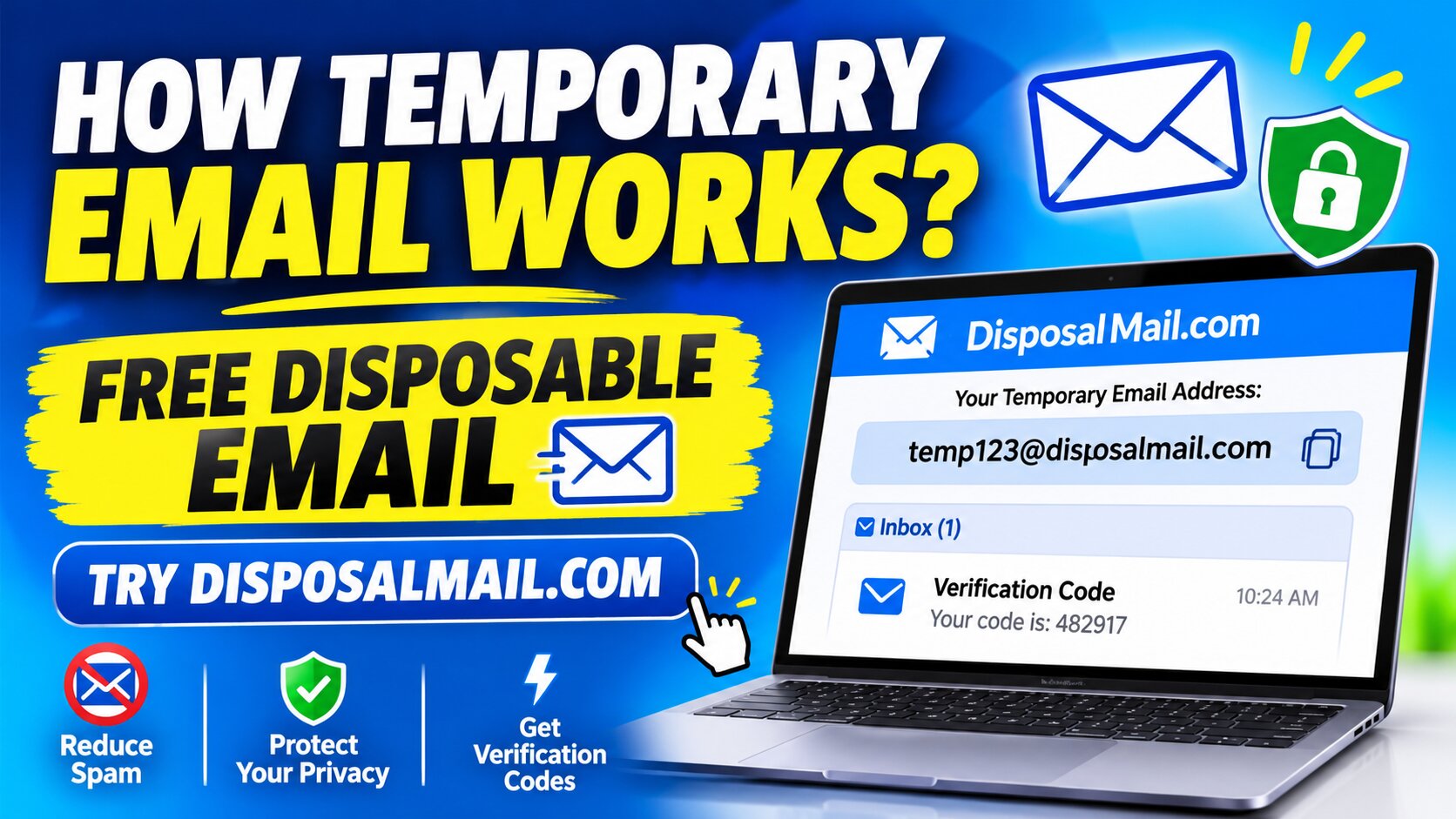
Introduction: Free Disposable Email Guide
Email has become one of the most important communication tools in our digital lives. Almost every website, online application, shopping platform, newsletter, and digital service asks visitors to provide an email address before accessing its features. Although email registration makes communication easier, sharing your primary email address with every website can create unwanted problems. You may receive promotional messages, advertising campaigns, spam emails, and unnecessary notifications from platforms you only wanted to visit once. Over time, these messages can fill your inbox and make it harder to find important personal or professional communication.
This is where temporary email becomes useful. A temporary email address allows you to receive messages without immediately sharing your permanent email address with every website. Instead of registering another traditional email account, you can use a free disposable email service to generate an address and receive incoming messages through a temporary inbox. Services such as DisposalMail.com make this process convenient by providing an accessible way to use disposable email addresses for everyday online activities. Whether you want to test a website, receive a one-time verification code, or avoid unnecessary newsletters, temporary email can provide an additional layer of convenience and privacy.
Temp Mail – Free Temp Mail Service : DisposalMail 🚀 Try It Online
In this comprehensive guide, we will explain how temporary email works, how messages reach a disposable inbox, what happens when an inbox expires, and how you can use DisposalMail.com responsibly. You will also discover its advantages, limitations, security considerations, and differences from traditional email services.
1. Understanding Temporary Email
What Is a Temporary Email Address?
A temporary email address is an email address designed for short-term or limited-purpose use. Unlike a traditional email account that people may keep for years, a disposable email address is generally intended for receiving messages during a particular online activity. For example, imagine visiting a website that requires email verification before allowing you to download a free resource. Instead of providing your personal Gmail or Outlook address, you can use a temporary email address to receive the verification message. This helps separate that activity from your regular email communication.
Temporary email services usually provide an inbox directly through a website. Depending on the provider, the address may be randomly generated or selected by the visitor. Incoming messages are delivered to the provider's mail infrastructure and displayed through a browser-based inbox. Some services automatically remove messages after a specified period, while others use session-based access or different retention policies. This means that temporary email does not always follow one universal expiration system.
People also use different names for this technology, including temp mail, disposable email, burner email, throwaway email, and temporary inbox. Although these terms are often used interchangeably, individual services can have different features and storage arrangements. The main purpose remains similar: provide an alternative email address for situations where a permanent personal address is unnecessary.
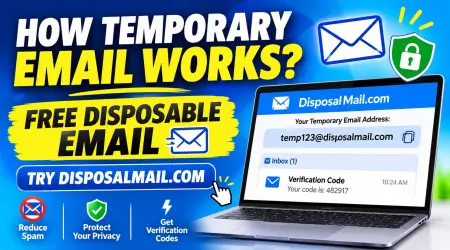
What Is a Disposable Email and How It Works?
Why Do People Use Disposable Email?
Internet users share their email addresses with countless websites, applications, and online businesses. Unfortunately, not every website communicates responsibly. Some send frequent promotional emails, while others share marketing information with third-party advertising partners according to their privacy policies. Even legitimate websites may send more notifications than users actually want. Disposable email provides a practical way to separate these activities from important personal communication.
For example, suppose you want to explore a new online platform but are unsure whether you will use it again. The platform requests an email address to unlock its free features. A temporary inbox can help you receive the initial confirmation without immediately exposing your primary email address. Similarly, someone researching several newsletters may prefer to keep promotional subscriptions separate from work-related messages.
Developers and software testers also find temporary email useful. They may need to check registration forms, password-reset workflows, notification systems, and verification messages during development. Rather than repeatedly creating permanent email accounts, they can use disposable inboxes for suitable testing activities.
However, temporary email is not a universal privacy solution. It does not automatically hide your IP address, prevent browser tracking, or guarantee anonymity. Its main benefit is limiting the exposure of your permanent email address.
2. How Temporary Email Works Step by Step
Temporary email services use much of the same underlying email technology as traditional providers. The major difference is how the address is created, how the mailbox is managed, and how long the service keeps the messages available.
Generating a Temporary Email Address
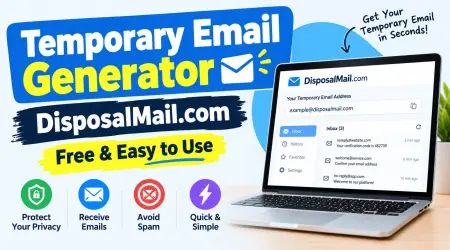
The first step is address generation. When you visit a temporary email website, the service provides an available email address. Depending on its design, this address may contain a randomly generated combination of letters and numbers or a name selected from available options.
An email address generally contains two important parts: the mailbox name and the domain name. The mailbox name identifies the intended recipient, while the domain identifies the email service responsible for receiving the message. A temporary email provider manages the domain and configures its mail infrastructure to accept incoming messages.
Once the address appears, you can copy it and enter it into an online registration form. There is generally no need to create a traditional account for basic disposable inbox functionality, although individual providers may have different requirements.
The address generation process is designed to make temporary email accessible and convenient. You do not need to spend time configuring an email application or completing a lengthy registration process before receiving a message.
Free Temporary Email Without Registration | DisposalMail
Receiving Emails Through Mail Servers
After you enter a temporary address into a website, that website may send a verification message, confirmation link, or notification. The message travels through the internet's email delivery infrastructure.
A simplified explanation involves DNS, MX records, and SMTP. When the sending mail server prepares to deliver an email, it checks the recipient domain's DNS information to identify the appropriate receiving mail server. MX records, or Mail Exchange records, help identify where messages for that domain should be delivered.
The sending server then communicates with the receiving server using the Simple Mail Transfer Protocol, commonly known as SMTP. The receiving server accepts the message if the destination is valid and its policies permit delivery. The temporary email provider processes the incoming message and associates it with the appropriate mailbox.
This is not a special replacement for normal email technology. It is an alternative way of managing incoming email through existing internet standards. The technical process is described in the official RFC 5321 SMTP specification.
Reading Verification Codes and Messages
Once the receiving server processes an incoming message, the temporary email platform makes it available through its inbox interface. Depending on the provider, the inbox may refresh automatically or require you to refresh the page manually.
For example, you might register on an online platform and receive a six-digit verification code. You can open the temporary inbox, locate the latest message, and read the code. Some services also display confirmation links, sender details, subject lines, and message content.
The process is generally straightforward:
- Open the temporary email website.
- Obtain an available email address.
- Copy the address.
- Enter it into the website requesting verification.
- Return to the temporary inbox.
- Open the incoming message and complete the intended action.
Delivery speed depends on the sending website, receiving mail server, network conditions, and spam-filtering policies. Some messages arrive almost immediately, while others may take longer or fail to arrive.
Automatic Inbox Expiration
One of the defining characteristics of temporary email is its limited lifetime. Unlike a permanent mailbox, a disposable inbox may become unavailable after a particular period, when a session ends, or when the user manually deletes it.
Different providers use different expiration policies. Some offer very short sessions, while others keep addresses available for longer periods. Therefore, you should always check the provider's published retention policy instead of assuming that every temporary email address expires after ten minutes.
When an inbox expires, you may lose access to its messages. The address might stop accepting new mail, become available for reuse, or disappear according to the provider's system design. Previous messages may also be deleted.
This is why temporary email should be used for short-term activities rather than important accounts. If you receive information that you genuinely need, save the relevant non-sensitive details before access ends.
3. Main Features of DisposalMail.com
Free Disposable Email Addresses
One of the most attractive features of a disposable email service is convenience. Users generally want an alternative email address without spending time creating another permanent mailbox. DisposalMail.com is designed around the temporary email use case, providing a place to obtain and use a disposable address for suitable online activities.
A free disposable email service can be useful when you want to explore a website, receive an initial confirmation message, or separate an online experiment from your primary email account. Instead of managing another permanent inbox, you can use a temporary address for the activity.
This approach can make everyday internet usage more organized. Your primary mailbox remains available for important communication, including personal messages, professional correspondence, banking notifications, and account recovery.
Before relying on any particular feature, check the live DisposalMail.com interface and its current service information. Features such as address customization, inbox duration, message retention, and sending capabilities should never be assumed unless the provider explicitly offers them.
Instant Inbox and Easy Access
Convenience is another important reason people choose web-based disposable email services. Traditional email registration may involve account creation, password setup, verification, and additional profile information. A temporary email platform can simplify the process by presenting an available inbox directly through a website.
A browser-based inbox is especially useful for people who frequently switch between websites and online tools. You can open the service, copy the displayed address, and return to the inbox when a message arrives. This makes the process accessible without requiring a dedicated email application for basic receiving activities.
A straightforward interface also helps beginners understand how temporary email works. They do not need advanced technical knowledge about mail servers, DNS records, or SMTP protocols to receive a verification message.
For the latest available features and usage instructions, visit DisposalMail.com.
4. Benefits of Using Temporary Email
Protecting Your Personal Email Privacy
Your primary email address can reveal a lot about your online identity. It may be connected to shopping accounts, social media profiles, subscriptions, professional services, and personal contacts. Sharing it with every website increases the number of organizations that can associate your address with your online activities.
Temporary email provides a way to reduce this exposure. When a website does not need a permanent communication channel, you can consider using a disposable address instead. This helps create separation between low-priority registrations and your important email account.
For example, imagine downloading a free document from a website you have never visited. If the website requires email registration, a temporary address may be suitable when you only need a one-time confirmation. You avoid adding another marketing subscription to your primary inbox.
However, remember that an email address is only one part of your digital identity. Websites may still collect information through cookies, browser fingerprints, IP addresses, and other tracking technologies. Temporary email should therefore be treated as one privacy measure rather than complete online anonymity.
Free Random Email Generator Online
Reducing Spam and Unwanted Messages
Spam is one of the most frustrating parts of using email. Promotional campaigns, repeated newsletters, advertising messages, and unsolicited notifications can quickly make a mailbox difficult to manage.
Temporary email can reduce this problem by providing a separate destination for selected low-priority registrations. If the website later sends unnecessary messages, those communications do not automatically enter your primary inbox.
This is particularly helpful when exploring unfamiliar websites or signing up for content that you may only want to access once. Instead of subscribing your permanent address to every offer, you can use a disposable alternative where appropriate.
A temporary address can also make it easier to separate different categories of online activity. Your regular inbox can remain focused on messages that matter, while temporary communication stays separate.
Keep in mind that disposable email does not guarantee that every unwanted message will be blocked. It simply provides another way to manage where selected emails are received.
Testing Websites and Online Applications
Temporary email is valuable for software developers, website owners, quality assurance professionals, and digital marketers.
Many online applications depend on email-based workflows. These can include registration confirmations, verification codes, password-reset messages, account notifications, and newsletter subscriptions. Developers need to test whether these functions operate correctly before making an application available to users.
Disposable inboxes can help testers receive messages without repeatedly creating permanent email accounts. They can check whether a registration confirmation arrives, inspect message formatting, and evaluate how verification links behave.
For example, a developer building a registration system may need to test several user journeys. A temporary inbox can help with suitable low-risk test scenarios, while a dedicated testing environment should be used for more comprehensive automated testing.
Digital marketers may also use temporary email addresses to evaluate their own registration forms and confirmation workflows. This can help identify delivery problems, incorrect message formatting, or confusing instructions.
The important distinction is between testing systems you own or are authorized to test and attempting to bypass another platform's security controls. Temporary email is a testing convenience, not permission to violate service rules.
5. Temporary Email vs. Regular Email
Temporary email and traditional email services both receive electronic messages, but they serve different purposes. Understanding their differences helps you choose the appropriate option.
| Feature | Temporary Email | Regular Email |
|---|---|---|
| Main purpose | Short-term communication | Long-term communication |
| Registration | Often no traditional account required | Usually requires registration |
| Inbox lifetime | Limited or provider-dependent | Generally ongoing |
| Personal identity | Can reduce address exposure | Often linked to personal identity |
| Account recovery | Usually unsuitable | Suitable |
| Important documents | Not recommended | More appropriate |
| Spam management | Separates selected registrations | Uses filters and blocking |
| Long-term storage | Often limited | Usually available |
| Sending messages | Depends on provider | Commonly supported |
| Best use | Temporary verification and testing | Personal and professional communication |
A regular email account is the better choice when you need a reliable communication channel. For example, your banking account, employment applications, educational services, and important subscriptions should generally use an email address you control over the long term.
Temporary email is more appropriate for activities that do not require future access. If you are simply exploring a website or receiving a one-time message, a disposable inbox may be sufficient.
There is also a third option: an email alias. An alias can provide an alternate address that forwards messages to your permanent mailbox. Unlike many short-lived disposable inboxes, an alias may remain active until you disable it. This can be a better option when you want ongoing privacy without losing access to future communication.
6. Security Risks and Best Practices
Temporary email offers convenience, but users should understand its limitations before depending on it. Not every disposable inbox is private. Some services may use publicly accessible inbox names, meaning another person could potentially access messages if they know or guess the address.
This is particularly important when receiving verification codes or account-related messages. A temporary email address should not be considered a secure replacement for a private, password-protected mailbox unless the provider clearly explains its security model.
Follow these practical precautions:
- Never use public temporary inboxes for banking or financial accounts.
- Avoid receiving sensitive personal documents through disposable addresses.
- Do not use temporary email for accounts that require long-term recovery.
- Check the provider's privacy and message-retention policies.
- Avoid opening suspicious attachments or unexpected links.
- Use strong, unique passwords for important accounts.
- Keep essential information in a secure location.
- Follow the rules of websites and applications you access.
Another important consideration is message content. Emails can contain HTML, images, tracking elements, and external links. A responsible email service should take appropriate steps to isolate potentially unsafe content. Users should still avoid interacting with unfamiliar attachments or suspicious messages.
It is also important to understand that temporary email does not automatically provide encrypted communication. Standard email delivery does not guarantee end-to-end encryption. Never assume that a disposable inbox makes confidential information safe.
7. How to Use DisposalMail.com
Using a temporary email service should be simple, even if you have never used one before. DisposalMail.com provides a destination for users interested in disposable email functionality.
Here is a practical approach to using the service:
Step 1: Visit DisposalMail.com
Open your browser and visit DisposalMail.com. Make sure you are accessing the correct website rather than an imitation page.
Step 2: Obtain a Temporary Email Address
Check the available address displayed by the service. Depending on the current interface, you may be provided with an automatically generated address or another available option.
Step 3: Copy the Address
Copy the displayed email address so you can use it on the website where you want to receive a message.
Step 4: Complete the Website Registration
Open the website or application you want to explore. Enter your temporary email address into its email field and follow the website's instructions.
Step 5: Check Your Temporary Inbox
Return to DisposalMail.com and check whether the expected message has arrived. If the inbox does not update automatically, use the available refresh option if provided.
Step 6: Read the Message
Open the incoming message and find the verification code or confirmation link. Complete the intended activity while the inbox is available.
Step 7: Finish and Leave the Inbox
Once your temporary task is complete, you can stop using the address. Remember that access and message retention depend on the provider's policies.
Following these steps can help you use temporary email efficiently without adding unnecessary complexity to your online activities.
8. Conclusion
Temporary email has become a useful tool for people who want more control over how they share their personal email addresses online. From receiving one-time verification codes to exploring unfamiliar websites and testing online applications, disposable email offers a convenient alternative to creating another permanent mailbox. It helps separate selected online activities from important personal communication and can reduce the number of unwanted messages entering your primary inbox.
Understanding how temporary email works makes it easier to use this technology responsibly. Behind the simple interface are familiar email technologies such as DNS, MX records, and SMTP, which allow messages to travel from a sender's mail server to the receiving service. The provider then makes incoming messages available through a temporary inbox, according to its particular retention and access policies.
DisposalMail.com is an option to explore if you want a convenient disposable email experience. Before using any temporary email provider, review its available features, privacy information, and message-retention rules.
Remember that temporary email is best suited to low-risk, short-term activities. It should not replace your permanent email address for banking, important business communication, sensitive documents, or accounts that require long-term recovery. Use it thoughtfully, protect your personal information, and enjoy a more organized online experience.
Frequently Asked Questions (FAQs)
Q1. What Is Temporary Email and How Does It Work?
Temporary email is a short-term email address that allows users to receive messages without sharing their primary email address. A disposable email provider manages the receiving domain and mail servers. When someone sends a message to the temporary address, the receiving infrastructure processes it and displays it in the temporary inbox. Depending on the provider, the address and messages may expire after a limited period or according to another retention policy.
Q2. Is DisposalMail.com Free to Use?
DisposalMail.com is presented as a disposable email service. Visit its official website to check the currently available features and any applicable usage conditions. Always verify the latest service information rather than assuming that every feature is permanently free or unlimited.
Q3. Can I Receive Verification Codes With Temporary Email?
Yes, temporary email services can receive verification codes when the sending website accepts the disposable email domain and successfully delivers the message. However, some websites block disposable email addresses, and delivery is not guaranteed. Keep the temporary inbox accessible until you have completed the intended verification process.
Q4. Is Temporary Email Safe for Personal Accounts?
Temporary email can be useful for low-risk activities, but it is generally unsuitable for important personal accounts. Public inboxes, limited retention, and possible loss of access can create security and account-recovery problems. Use a permanent, private email account for banking, work, sensitive information, and essential online services. alternative
Q5. How Long Does a Temporary Email Address Last?
There is no universal expiration period for temporary email addresses. Some services provide inboxes that last a few minutes, while others offer longer sessions or different retention arrangements. The actual duration depends on the provider's policies and technical design. Always check the service's published information before relying on a temporary inbox.