Free Disposable Email – Create Temporary Email Instantly | DisposalMail
Introduction to Free Disposable Email
Have you ever visited a website, tried to download a free resource, or signed up for an online service only to discover that you must provide your email address first? It happens all the time. You might simply want to explore a website, test a new application, access a free guide, or receive a one-time confirmation message. However, sharing your primary email address with every website can create unnecessary problems. Before you know it, your inbox may become crowded with promotional campaigns, newsletters, notifications, and messages you never wanted. This is where a free DisposalMail email address becomes a useful online tool. Instead of sharing your personal email everywhere, you can generate a temporary address and use it for suitable short-term activities. It creates a convenient separation between your everyday communication and less important online registrations. Think of it as using a separate mailbox for visitors who only need to leave you a quick message. You can receive the email you need without immediately adding another website to your regular inbox.
Temp Mail – Free Temp Mail Service : DisposalMail 🚀 Try It Online
In 2026, online privacy and inbox management remain important considerations for internet users. People interact with dozens of websites, applications, online communities, and digital platforms, and many of these services request an email address during registration. A temporary email service offers a practical alternative when a website does not need your permanent contact information. DisposalMail.com provides a free temporary email experience designed to make this process simple. Its website advertises instant access, multiple email domains, real-time inbox updates, no registration requirements, and convenient email management features.
Whether you are exploring a new website, receiving a confirmation email, or testing an online service, a DisposalMail inbox can help you manage these activities more efficiently. The important thing is to understand how temporary email works, where it is useful, and when you should continue using your permanent email address instead.
What Is a DisposalMail Email Address?
A DisposalMail email address is a temporary email address that allows you to receive messages without using your primary personal or business email account. It is sometimes called temporary mail, throwaway email, temp mail, or a temporary inbox. Unlike traditional email accounts, which are generally designed for long-term communication, DisposalMail email services focus on short-term activities. You can generate an address, use it on a suitable website, and check incoming messages through the temporary email provider. Depending on the service, the address and messages may remain available for a limited period before being deleted or becoming inaccessible. This makes disposable email particularly useful when you only need to receive a single confirmation message or a short-term notification. You do not necessarily need to create a permanent account, choose a password, or complete a lengthy registration process. The goal is to make receiving temporary emails quick and convenient.
Imagine that you want to download a free design template from a website. The website requests an email address before allowing access to the download. You could provide your everyday email address, but doing so might expose it to future marketing messages. Alternatively, you could use a temporary email address to receive the download confirmation, provided the website accepts DisposalMail addresses. Once you complete the task, you can leave the temporary inbox behind. This simple approach helps keep one-time activities separate from important personal communication. However, temporary email is not a complete anonymity solution. A website may still collect other information, such as your IP address, browser details, device information, and activity patterns. Therefore, a DisposalMail email address should be considered a privacy-conscious convenience rather than a guarantee of complete online anonymity.
How Temporary Email Works
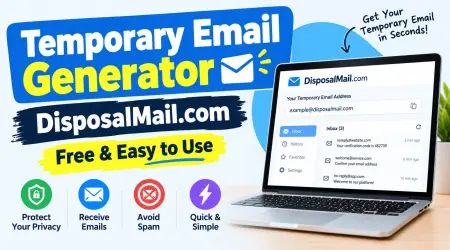
Temporary email services work by providing an email address connected to an inbox managed by the service provider. When you enter that address into a registration form or another suitable online service, incoming messages are routed to the temporary inbox. You can then visit the provider's website to read the received message, find a confirmation link, or copy a verification code. Some platforms automatically refresh the inbox or display incoming messages in real time, eliminating the need to repeatedly reload the page. DisposalMail advertises instant inbox updates and a straightforward browser-based experience.The exact technical process and available features depend on the provider, but the general experience is designed to reduce the steps required to receive an email.
Why Do People Use Temporary Email Services?
People use temporary email services for different reasons, but the most common motivation is keeping their primary inbox organized. Almost every type of online activity seems to request an email address nowadays. Shopping websites, educational platforms, software tools, blogs, discussion communities, and downloadable resources may all ask visitors to provide contact information. Sometimes the request makes sense because the service needs to send an important confirmation or account notification. In other situations, you may only want to explore a website without committing to regular marketing emails. A temporary address can provide a useful separation between these activities. Rather than allowing every registration to generate messages in your main inbox, you can use a DisposableMail address for appropriate one-time interactions. This can make everyday email management less stressful and help you focus on the messages that actually matter.
Another reason people choose DisposableMail email is convenience. Creating a new permanent email account whenever you want to test an unfamiliar website would be unnecessarily complicated. You might need to enter personal information, create a password, verify your identity, and configure account settings. A temporary email service can remove many of those steps. You can obtain an address and use it for a suitable short-term purpose without building another permanent mailbox. Developers and website owners also use temporary inboxes when checking registration systems, confirmation messages, and email delivery during testing. However, disposable addresses should only be used where permitted. Some websites block temporary email domains to prevent fraudulent registrations, automated abuse, or repeated account creation. The OWASP Email Validation and Verification Cheat Sheet discusses disposable email abuse and recommends risk-based controls rather than relying exclusively on domain blocking.
What Is a Disposable Email and How It Works?
Protecting Your Personal Email Address
Your primary email address can become an important part of your digital identity. You may use it for banking notifications, personal conversations, employment applications, business communication, shopping receipts, account recovery, and subscriptions. Sharing it with every unfamiliar website increases the number of organizations that hold your contact information. If one of those organizations experiences a data breach or mishandles its mailing lists, your address may become exposed to unwanted communication. A temporary email address can reduce how often you share your primary address with low-priority websites. It also helps separate experimental registrations from your important digital activities. This is particularly useful when you are exploring unfamiliar services and do not yet know whether you want to maintain a relationship with the website.
Nevertheless, using temporary email does not eliminate every privacy risk. It only changes the email address you provide. You should still avoid submitting confidential information to unfamiliar websites, opening suspicious attachments, or clicking questionable links. The Federal Trade Commission warns that phishing emails are commonly used to trick people into revealing personal information or visiting fraudulent websites.
Consumer Advice
A temporary inbox can help limit exposure of your main email address, but it cannot make a dangerous website trustworthy. Always consider the reputation of the website you are visiting and use good online security practices.
What Is DisposalMail.com?
A convenient online destination for free temporary email.
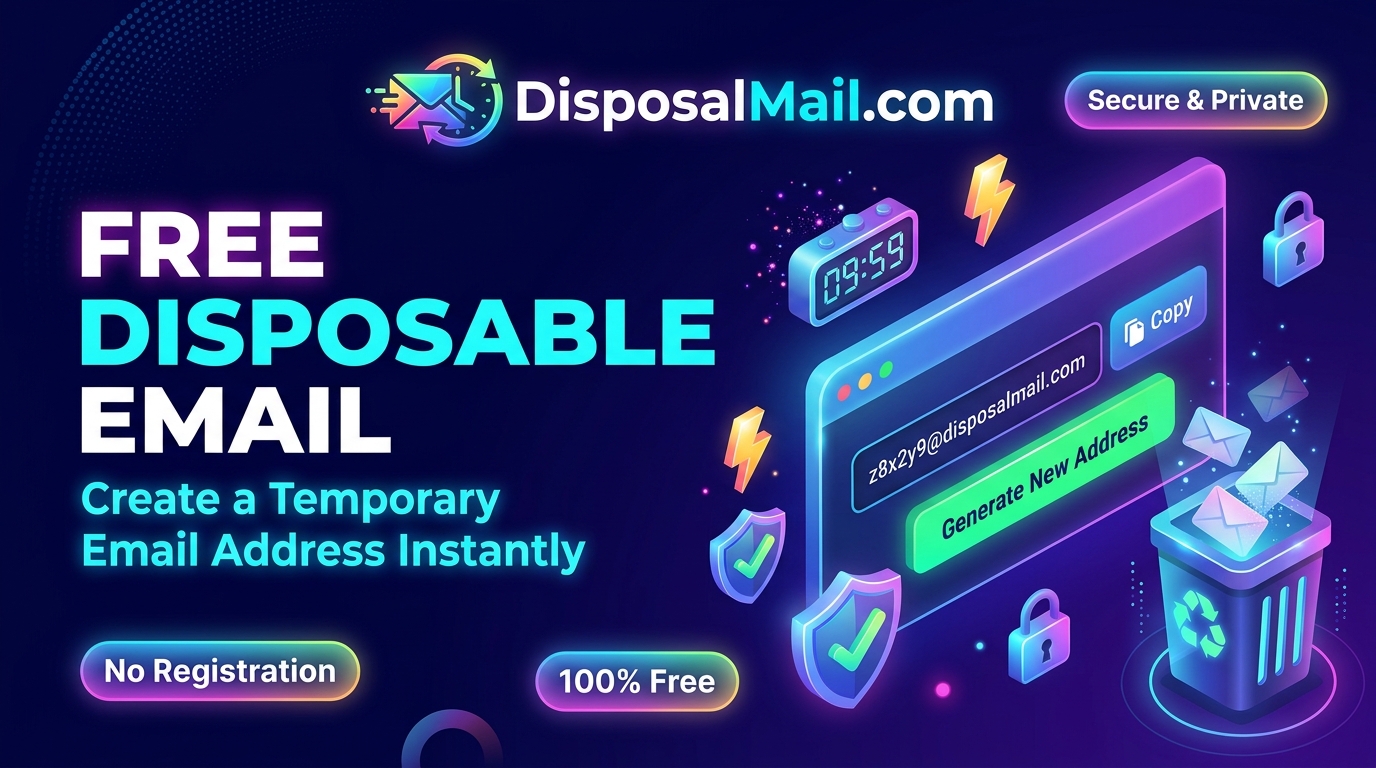
DisposalMail.com is an online platform that provides temporary email addresses for people who want to receive messages without sharing their regular email address. Its service is designed around a simple idea: make temporary email access easy, quick, and convenient. Instead of going through the traditional process of creating a permanent mailbox, users can access a temporary email experience through the website. This is useful for suitable online activities where a permanent email address is unnecessary. The service advertises free access without a subscription or conventional registration process, helping users get started without complicated setup procedures. Its homepage also highlights multiple email domains, real-time inbox updates, and additional inbox-management features.
One of the most attractive aspects of a temporary email platform is its straightforward workflow. You do not want to spend several minutes configuring an email account when your only purpose is to receive one confirmation message. A simple temporary inbox can make that task much easier. DisposalMail focuses on reducing unnecessary steps so visitors can generate or access a temporary address and check incoming messages from the browser. It also advertises features such as email aliases, message history, and favorites, which can make managing temporary messages more convenient.As with any online service, users should review the current website and privacy information before relying on it for anything important. Temporary email is best suited to low-risk, short-term communication rather than sensitive or permanent account management.
Key Features of DisposalMail.com
DisposalMail promotes several features intended to make temporary email easier to use. These features focus on accessibility, speed, and convenience instead of the extensive configuration options found in traditional email providers. The main advertised benefits include free access, instant inbox updates, multiple domain choices, no registration requirements, and temporary email creation. The platform also describes favorites and email-history functionality for managing messages.
Availability and behavior may change as the service develops, so it is sensible to check the live interface for the latest options.
Some of the key features include:
Free temporary email: Access the advertised basic temporary email service without a subscription.
Instant access: Get started without a lengthy account registration process.
Multiple domains: Choose from available email domains when creating an address.
Real-time inbox updates: Check incoming messages through the website's inbox interface.
Email aliases: Use available address customization options.
Favorites: Keep track of selected messages using the advertised favorites feature.
Simple interface: Manage temporary email through a browser without installing dedicated desktop software.
These features make DisposalMail a convenient option for people who need a temporary inbox for suitable online activities.
How to secure your emails and accounts!
How to Create a Free Temporary Email Address Instantly
Creating a temporary email address does not need to be complicated. One of the main advantages of services like DisposalMail is that they are designed to make the process accessible even to people who are not technically experienced. You do not need advanced computer knowledge, special software, or complicated email configuration skills to get started. You simply visit the website and follow the available options. The platform is intended to provide a convenient way to obtain a temporary address and receive incoming messages. This can be particularly helpful when you are using a mobile phone, laptop, desktop computer, or tablet and want to complete a quick online registration.
Follow these general steps:
Visit DisposalMail.com: Open your preferred web browser and navigate to DisposalMail.com.
Access your temporary inbox: Use the temporary email address provided by the website or select an available address customization option.
Copy your email address: Copy the generated address so you can paste it into the website or application you want to use.
Enter the address: Open the registration form or other appropriate page and enter your temporary email address.
Wait for the incoming message: Return to your DisposalMail inbox and check for the confirmation or verification email.
Read the message: Open the received email and follow the required instructions if the message is legitimate.
Finish your task: Complete your intended short-term activity and avoid relying on the temporary inbox for future account recovery.
The process is simple, but remember that not every website accepts disposable email addresses. If a website rejects the address, follow its registration requirements and use an appropriate permanent email account when necessary.
Benefits of Using a Free Disposable Email
The biggest benefit of a free disposable email service is that it gives you more control over where you share your primary email address. Your regular inbox is probably connected to many important parts of your daily life. It may contain personal conversations, receipts, business communication, password-reset notifications, and other messages that you cannot afford to miss. When you use that same address for every website, it becomes increasingly difficult to distinguish important messages from unnecessary ones. Temporary email helps create a separate space for low-priority activities. You can use a disposable address for a suitable short-term registration and keep your regular mailbox focused on the people and services that matter most. This separation can improve organization without requiring you to create several permanent accounts.
Another advantage is the time you can save. Traditional email registration often involves entering personal information, creating login credentials, confirming an account, and configuring settings. Temporary email services are designed to simplify that process. They are particularly helpful when you want to receive a one-time confirmation or test a website's registration experience. Developers can also use temporary inboxes to check whether their own applications generate the expected email messages. Instead of repeatedly using their personal accounts for testing, they can separate testing activities from normal communication. DisposalMail's advertised instant access and inbox-management features support this type of convenient workflow.
There are several practical advantages worth understanding:
Reduced inbox clutter: Keep unnecessary one-time messages away from your main mailbox.
Less exposure of your primary address: Avoid sharing your regular email with every unfamiliar website.
Convenient testing: Check email-related features when developing or evaluating your own applications.
Quick access: Obtain a temporary address without the usual permanent-account setup.
Better organization: Separate short-term registrations from important communication.
Flexible usage: Use temporary addresses for different suitable online activities.
These benefits make disposable email a useful addition to everyday digital privacy habits, although it should not replace a secure permanent mailbox.
Common Uses of Temporary Email Addresses
Temporary email addresses can be useful in many everyday situations. One common example is accessing downloadable resources. Some websites request an email address before providing a PDF, template, checklist, software guide, or educational resource. If you only want to receive the download link and do not expect an ongoing relationship with the website, a disposable email address may be appropriate. Another common use is exploring new online platforms. You might want to understand how a website works before deciding whether to create a permanent account. A temporary inbox can help with suitable initial registrations where the platform permits disposable addresses. It also provides a practical way to separate experimental activities from your normal email communication.
Developers and website testers have another reason to use temporary inboxes. When building an application, they often need to verify that registration emails, confirmation messages, and notifications are delivered correctly. Testing with a temporary mailbox can help them observe the message content and identify problems in their email workflow. This can be particularly useful during development, quality assurance, and demonstrations. Educational users may also use disposable addresses when exploring low-risk learning resources or testing services that require email confirmation. However, students should follow the rules of their educational platforms and avoid using temporary addresses where a verified, permanent identity is required.
Some suitable use cases include:
| Activity | How temporary email can help |
|---|---|
| One-time website registration | Receive a short-term confirmation message |
| Free resource downloads | Receive a download link without using your main inbox |
| Newsletter exploration | Avoid adding experimental subscriptions to your regular inbox |
| Software testing | Check email delivery in your own applications |
| Website development | Test registration and notification workflows |
| Online demonstrations | Use a separate inbox for suitable demonstrations |
| Exploring unfamiliar services | Keep low-risk registrations separate |
The right use depends on the website's rules, the sensitivity of the information involved, and whether you will need access to the mailbox later.
Is Disposable Email Safe and Private?
Disposable email can be a useful privacy tool, but it is important to understand what it actually protects. When you use a temporary address, you avoid giving a website your primary email address. This can reduce unwanted marketing messages and limit the exposure of your regular contact information. However, it does not automatically hide your identity or prevent websites from collecting other data. Websites may still process technical information, including your IP address, browser characteristics, device information, cookies, and interactions with their services. The temporary email provider also needs to process incoming messages so that they can appear in your inbox. Therefore, you should never assume that every temporary inbox is completely private or suitable for confidential communication.
Another important consideration is inbox accessibility. Some temporary email services may use shared or publicly accessible inbox arrangements. If other people can discover or access the same inbox, they may potentially read messages sent to it. You should check how a provider handles inbox access, message retention, and deletion before using it. Avoid receiving passwords, financial documents, medical information, private business conversations, or sensitive personal details through an inbox that you do not fully control. The FTC also recommends being cautious with unexpected messages, suspicious links, and attachments because phishing attempts can be designed to steal personal information.
For safer usage, remember these principles:
Never use a temporary email address as the recovery email for an important account.
Do not receive banking, financial, healthcare, or government-related messages through a disposable inbox.
Avoid opening unexpected attachments.
Check the sender and destination of links before clicking.
Review the service's privacy policy and message-retention information.
Use a permanent email account with strong security for important online activities.
A disposable email address is one useful layer of privacy, not a replacement for responsible online behavior.
Free Random Email Generator Online
Disposable Email vs. Regular Email
Temporary email and regular email services have different purposes. A regular email account is designed for ongoing communication, long-term storage, account recovery, and personal or professional correspondence. A temporary email address is designed for short-term activities where you only need to receive a message without sharing your primary address. Neither option is universally better because the right choice depends on what you are trying to accomplish. For example, you would generally use a permanent email account for employment applications, business communication, online banking, and important subscriptions. On the other hand, a temporary address may be suitable for receiving a one-time confirmation from a low-risk website that permits disposable email.
| Feature | Disposable Email | Regular Email |
|---|---|---|
| Main purpose | Short-term communication | Long-term communication |
| Account registration | Often unnecessary | Usually required |
| Email lifespan | May be temporary | Designed for continued use |
| Inbox access | Depends on provider and retention | Usually protected by account credentials |
| Account recovery | Not recommended | Suitable when properly secured |
| Privacy benefit | Helps avoid exposing your primary address | Provides a consistent personal address |
| Best use | One-time registrations and testing | Personal and professional communication |
| Long-term storage | Often limited | Usually available |
| Confidential communication | Generally unsuitable | Better when using a trusted provider |
The most practical approach is to use both types of email appropriately. Keep your permanent email for valuable accounts and ongoing communication. Use temporary email for suitable short-term activities where you do not need future access.
Who Should Use DisposalMail.com?
A temporary email platform can be useful for many different types of internet users. Casual browsers may want to explore unfamiliar websites without immediately providing their everyday email address. Online learners may need to receive a one-time confirmation when accessing free educational materials. Website developers may want a convenient inbox for checking messages generated by applications they are building. Digital marketers may also find temporary inboxes helpful for controlled testing of their own email campaigns and registration workflows. Each group has different needs, but the common idea is to keep temporary activities separate from important communication.
Freelancers and business owners can also benefit from understanding disposable email. When evaluating a new software tool, testing a landing page, or exploring a service that allows temporary addresses, they may want to keep experimental registrations away from their main business inbox. This can help reduce unnecessary notifications and maintain a cleaner communication environment. However, freelancers should use their professional email addresses when applying for jobs, communicating with clients, receiving contracts, or managing payments. A temporary address is not a good substitute for a dependable professional identity. The same principle applies to businesses that need reliable customer support, order confirmations, or long-term account access.
DisposalMail is worth exploring if you want a straightforward way to access temporary email features through a browser. Its advertised free access, multiple domains, and inbox-management options make it relevant to users looking for a convenient short-term email solution.
The important part is choosing the right email type for the task rather than using a disposable address everywhere.
Tips for Using Temporary Email Responsibly
Using a temporary email address responsibly begins with understanding why you need it. Before entering a disposable address into a website, ask yourself whether you will need to access that account again. If you are downloading a one-time resource or testing a website, temporary email may be appropriate. If you are creating an account that contains personal information or valuable content, a permanent email address is generally the safer choice. You should also review the website's registration rules because some platforms prohibit disposable addresses. Trying to bypass those requirements can result in rejected registrations or suspended accounts. Responsible use means respecting website policies and using temporary inboxes for legitimate privacy and testing purposes.
You should also be careful about the messages you receive. A temporary inbox is not automatically protected from phishing, malicious links, or deceptive attachments. Read messages carefully and avoid downloading files from unknown senders. If an email claims that your account needs urgent verification, visit the official website directly instead of trusting an unexpected link. For important online accounts, enable multifactor authentication where available and maintain a secure recovery email address. OWASP recommends strong, single-use, time-limited verification tokens and appropriate protections for account-related email workflows.
These practices are important for both users and website owners.
A few simple habits can make temporary email more useful:
Choose temporary email for low-risk activities only.
Check whether the website accepts disposable addresses.
Read important messages before the inbox expires.
Never store important account-recovery information in a temporary inbox.
Avoid sharing sensitive documents through disposable email.
Review the provider's privacy and retention policies.
Use a trusted permanent email account for important communication.
By following these habits, you can enjoy the convenience of temporary email without treating it as a complete security solution.
Limitations of Free Disposable Email Services
Although temporary email services offer convenience, they also have limitations. The first limitation is that some websites do not accept disposable email domains. Companies may restrict temporary addresses to reduce spam registrations, automated account creation, promotional abuse, or other suspicious activity. OWASP specifically identifies disposable email abuse as an issue that developers should consider when designing email verification systems.
As a result, you may encounter registration forms that reject your temporary address. This is not necessarily a problem with your browser or the email service; it may simply be part of the website's registration policy.
The second limitation is the possibility of losing access to your inbox. Temporary email addresses are not designed to provide the same long-term reliability as permanent email accounts. Depending on the service, an address may expire, messages may be deleted, or inbox access may become unavailable. If you register for an important account using a temporary address, you could have difficulty receiving password-reset messages or future security notifications. This is why you should avoid using disposable email for banking, employment, financial services, healthcare, government services, or any platform where account ownership and recovery matter.
Other limitations may include restricted email-sending capabilities, limited storage, attachment restrictions, and inconsistent message delivery. The exact limitations depend on the provider and its current service policies. You should also remember that a free service does not automatically guarantee complete confidentiality. Review the provider's privacy information and avoid sending sensitive data through temporary mailboxes. Understanding these limitations helps you make a better decision and prevents inconvenience later.
Top Ten Formal Business Email Template
Why Choose DisposalMail.com in 2026?
Choosing a temporary email service is about finding a balance between convenience, accessibility, and responsible privacy practices. A good service should make it easy to obtain an address, check incoming messages, and complete short-term tasks without unnecessary complications. DisposalMail presents itself as a free temporary email platform with instant access, multiple domain choices, and no conventional registration requirement. It also advertises inbox updates and management features that can make temporary email easier to handle.
These features are useful for people who prefer a simple browser-based experience instead of creating additional permanent email accounts.
Another reason to explore DisposalMail is the convenience of having a dedicated place for temporary messages. Rather than mixing every experimental registration with personal and business communication, you can keep suitable one-time activities separate. This may help you organize your online routine and reduce unnecessary inbox clutter. The platform's advertised favorites and email-history features may also help users manage messages while those features remain available. Before using any temporary email provider, however, it is important to understand its actual retention and privacy policies. Do not assume that a temporary message will remain accessible indefinitely or that an inbox is suitable for confidential information.
If you want to explore the service, visit the official website:
Visit DisposalMail.com
Whether you are a casual internet user, developer, student, freelancer, or business owner, temporary email can be a useful tool when applied to the right situation. DisposalMail offers an accessible starting point for exploring this convenient approach to managing short-term email communication.
Conclusion
A free disposable email address is a practical way to separate temporary online activities from your primary email account. Instead of sharing your personal address with every unfamiliar website, you can use a temporary inbox for suitable registrations, one-time confirmations, resource downloads, and testing activities. This can help reduce unwanted messages, improve inbox organization, and give you more control over where you share your regular contact information. However, temporary email is not a replacement for a permanent email account or a complete online security solution. You should avoid using it for banking, employment, financial services, healthcare, sensitive communication, and important account recovery.
DisposalMail.com makes temporary email accessible through a free browser-based service with advertised features such as instant access, multiple domains, and convenient inbox management. If you need a simple way to receive short-term emails without immediately sharing your primary address, explore the available features at DisposalMail.com. Use temporary email wisely, respect website policies, and keep your important communication connected to a permanent email account that you control. A little attention to your email habits can make your online experience cleaner, more organized, and more privacy-conscious.
Frequently Asked Questions (FAQs)
Q1. What is a free disposable email address?
A free disposable email address is a temporary email address that allows you to receive messages without sharing your primary email account. It is useful for short-term registrations, confirmation messages, website testing, and downloading online resources. Depending on the provider, the inbox may expire automatically or have limited message retention.
Q2. Is DisposalMail.com free to use?
Yes. DisposalMail.com advertises free access to its temporary email service without requiring a subscription for its basic experience. It also promotes features such as instant inbox access, multiple domains, and temporary email creation. Check the website for the latest feature availability. alternative
Q3. Can I receive verification codes using temporary email?
Yes. You can use a temporary email address to receive verification messages and confirmation links when the website accepts disposable email addresses. However, some platforms block temporary email domains. For important accounts, always use a permanent email address that you control.
Q4. Do I need to register to use DisposalMail.com?
DisposalMail advertises a no-registration experience, allowing visitors to access its temporary email functionality without completing a traditional email account signup. This makes it convenient for users who need a temporary inbox quickly.
Q5. Is it safe to use a disposable email address?
Disposable email can help reduce exposure of your primary email address, but it does not guarantee complete anonymity or confidentiality. Avoid using temporary inboxes for banking, financial information, medical records, passwords, or important account recovery. Always review the service's privacy policy before using it.