Random Email Generator – Create Random Emails Online | DisposalMail.com 📧

What Is a Random Email Generator?
A random email generator is an online tool that creates an email address automatically instead of requiring you to choose a username yourself. Depending on the service, it may generate a random combination of letters, numbers, or words and connect that name to a supported email domain. Some generators create addresses intended only for receiving temporary messages, while others produce suggested email names that you can use with an existing email provider. The difference matters because generating an address does not automatically mean that it has a working inbox. A functional email address must be supported by a mail system that can receive messages sent to it. Temp Mail – Free Temp Mail Service : DisposalMail 🚀 Try It Online
DisposalMail.com offers a convenient way to generate temporary email addresses online. Its website includes a Random Name option, domain selection, an email-address update control, and an inbox for incoming messages. The service also advertises free access, real-time inbox updates, email history, and no required registration.
These features make it useful when you need an address for a short-term online task and want to avoid sharing your primary email unnecessarily. Instead of spending time inventing a username, you can use the available random-name functionality to create an address and proceed with your task.
What Is a Disposable Email and How It Works?
How Random Email Addresses Work
The process starts when you visit an online email generator and request an address. The tool may create a random mailbox name and combine it with an available domain. For example, an illustrative address might look like [email protected]; this is only an example, not a verified working inbox. When the generator is connected to a functioning email service, messages sent to the generated address can appear in its associated inbox.
Temporary email services generally provide an inbox interface where you can read incoming messages, including confirmation emails and verification codes. DisposalMail provides an inbox-based experience and advertises real-time message updates, so users can watch for incoming mail without repeatedly refreshing the page.
Depending on the service, temporary addresses and messages may remain available for different periods. You should always check the provider's current information instead of assuming that every random address lasts forever.
The key distinction is between a random email address and a random temporary email address. The first describes how an address name is selected; the second describes its intended short-term use. A randomly generated address may be temporary, but not every random email generator provides a working mailbox. If your goal is to receive a confirmation message, choose a service that actually supports incoming email.
What Is DisposalMail.com?
DisposalMail.com is an online temporary email service designed for people who want to receive messages without immediately sharing their primary email address. You can visit the website, use its address-generation controls, and monitor the associated inbox for incoming messages. The service advertises a free experience without subscription fees or mandatory registration, making it convenient for quick tasks that do not require a permanent mailbox.
The platform is particularly relevant when you are exploring an unfamiliar website, testing a registration form, or accessing a resource that requires email verification. Instead of creating another long-term email account, you can use a temporary address when the task does not require ongoing communication. The website also provides options to change the email address and select from available domains. These features give users more flexibility when generating a temporary inbox.
However, temporary email is not a universal solution for every registration. Some websites reject disposable email domains, and an inbox may not remain available long enough for future account recovery. Before using DisposalMail, consider whether you will need the address again. For a one-time, low-risk interaction, a temporary address can be practical; for a critical account, a permanent email account is usually the better choice.
How to secure your emails and accounts!
Key Features of DisposalMail
DisposalMail's website highlights several features that support its temporary email workflow. These include a random-name control, domain selection, instant inbox access, real-time message updates, email history, and QR-code functionality. It also advertises free access and the ability to create multiple temporary email addresses.
Here is how these features can help:
Random email name: Generate an address name without having to invent one manually.
Domain selection: Choose from the email domains available in the interface.
Instant access: Start using the temporary inbox without a lengthy account-registration process.
Incoming message monitoring: Watch for verification messages and other emails sent to the address.
Email history: Review messages that remain available in the service's history feature.
QR-code access: Use the displayed QR code to open the service on a compatible device.
Free access: Use the advertised basic service without a paid subscription.
These features are designed to reduce the steps involved in obtaining a temporary address. Availability and behavior may change as the platform evolves, so the current website remains the best place to confirm the options provided.
Benefits of Using a Random Email Generator
One of the main advantages of a random email generator is convenience. Creating a new username manually for every temporary interaction can be repetitive, especially if you are testing websites or trying several online tools. A generator removes that small but unnecessary task by suggesting an address for you. When the generated address is connected to a functioning temporary inbox, you can copy it into a form and wait for incoming messages.
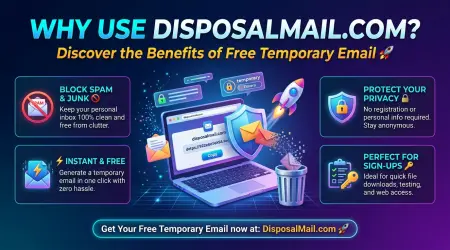
Another benefit is reducing exposure of your primary email address. Every website that receives your personal email has another opportunity to send you notifications or marketing messages. A temporary address can help separate short-term signups from the communications you want to keep in your main inbox. This can make your email easier to organize and reduce the number of services that have your regular contact address.
Random address generation can also make testing workflows easier. Developers and quality-assurance testers sometimes need multiple email identities to check registration forms, confirmation messages, and other automated email features. A temporary email generator may help with those tests, provided the use complies with the relevant website's rules and the testing environment is appropriate. The tool is not intended to bypass security controls or create fraudulent accounts, but it can support legitimate testing and privacy-conscious browsing.
Finally, a random address can be less predictable than a simple custom inbox name. If a temporary service allows people to access an inbox merely by knowing its address, a guessable name can expose incoming messages to other people. A random name may make accidental guessing more difficult, although it does not replace password protection or other access controls. Always understand how the chosen service protects its inbox before sending anything sensitive to it.
How to Generate a Random Email Address Online
Generating a random email address with DisposalMail is designed to be straightforward. You do not need to install email software or create a conventional mailbox account just to begin using the advertised temporary email service. The website provides controls for changing the address, selecting an available domain, and viewing incoming messages.
Step-by-Step Guide
Step 1: Visit DisposalMail.com. Open DisposalMail.com in your browser. You can use a compatible desktop or mobile browser to access the online interface.
Step 2: Find the address controls. Look for the email alias and domain options displayed on the page. These controls allow you to adjust the address rather than manually setting up a traditional mailbox.
Step 3: Generate a random name. Select the Random Name option available in the interface. The service can then provide a generated name for your temporary email address.
Step 4: Choose a domain if needed. Review the available domain choices and select an option supported by the service. The address must use a domain that the service can handle for incoming messages.
Step 5: Update and copy the address. Use the address-update control if necessary, then copy the resulting email address carefully. Check that you have copied the entire address without extra spaces.
Step 6: Use it for your intended task. Enter the address into an appropriate website form. If the site sends a confirmation message, return to the DisposalMail inbox and check whether it arrives.
Step 7: Finish the task and avoid relying on it long-term. Complete the low-risk activity for which you needed the address. If you expect to need account recovery or future notifications, use a permanent email address instead.
This process helps you obtain a temporary email address with fewer steps than creating a separate permanent account. Keep in mind that a website may block disposable addresses, and email delivery can depend on the sender, recipient domain, and the temporary service's current operation.
Random Email Generator vs. Temporary Email
The terms random email generator and temporary email generator are related, but they do not mean exactly the same thing. A random email generator describes a tool that creates an address name automatically. A temporary email generator focuses on providing an address for short-term use, often with an inbox that can receive messages for a limited period. Some services combine both functions, allowing users to generate a random name and immediately use the corresponding temporary inbox.
| Feature | Random Email Generator | Temporary Email Service |
|---|---|---|
| Main purpose | Generate an email address name | Provide an email address for temporary use |
| Random names | Often available | May be available |
| Working inbox | Depends on the tool | Usually a core feature |
| Incoming messages | Not guaranteed | Typically supported |
| Duration | Depends on the provider | Often limited or subject to retention rules |
| Registration | Depends on the provider | Frequently unnecessary |
| Best use | Address creation and testing | Short-term messages and verification |
DisposalMail combines random-name functionality with a temporary inbox experience. This means users can generate an address and use the service to monitor incoming mail rather than receiving only a suggested email string.
When choosing any generator, check whether the address can receive messages before using it. A tool that simply produces a random-looking string is not enough if you need a confirmation email. Likewise, a working temporary inbox is not suitable for every situation: if you need dependable access for months or years, a conventional email provider is usually more appropriate.
Common Uses of Random Email Addresses
Random email addresses can be helpful in several everyday situations. One example is testing websites and applications. A developer may want to verify whether a registration form accepts valid addresses, sends confirmation messages, and handles failed verification attempts correctly. A temporary inbox can provide a convenient recipient for such tests, particularly when the developer does not need to maintain a permanent account for each test case.
Another use is accessing one-time resources. Some websites request an email address before providing a downloadable document, template, guide, or other resource. When the activity is low-risk and the website's rules permit temporary addresses, a disposable email can keep the resulting communication separate from your personal inbox. However, if the resource requires an ongoing account or future access, consider using a permanent email instead.
Random email addresses can also help with newsletter organization. For example, you may want to try a newsletter before deciding whether to subscribe with your main address. A temporary address can be useful for an initial, short-term interaction, although it is not ideal if you intend to continue receiving the newsletter. A separate email alias or dedicated email account may be better for subscriptions you want to keep.
Students, researchers, marketers, and software testers may also use temporary email during legitimate experiments. They can evaluate signup flows, inspect automated messages, or test how an application responds to different email inputs. Always follow the site's terms of service and applicable laws, and do not use generated addresses to impersonate others, evade bans, or abuse free trials.
Free Temporary Email Generator
Privacy, Security, and Limitations
A random email address can reduce how often you share your primary email, but it does not automatically make your online activity anonymous. Websites may still collect information such as your IP address, browser details, cookies, and activity on their platforms. The amount of information collected depends on the websites and services involved. Treat temporary email as one privacy measure, not a complete security solution.
You should also consider who can access the temporary inbox. Some temporary email systems provide public or weakly protected inboxes, while others use different access mechanisms. A random name may be harder to guess than a predictable one, but you should never assume that the mailbox is private unless the provider clearly explains its access controls. Do not use temporary email to receive sensitive documents, financial information, private conversations, or critical password-reset links.
There are practical limitations, too. Messages may arrive late, fail to arrive, or be rejected by a sender's email system. Some websites block disposable email domains to prevent fraudulent registrations or abuse. Temporary messages can also disappear when the service's retention period ends, making it difficult or impossible to retrieve them later. These limitations make a disposable inbox unsuitable for important accounts that require long-term access.
For safer use, check the provider's privacy policy, understand its message-retention rules, avoid suspicious links and attachments, and use permanent email for accounts you cannot afford to lose. If a message claims that you must act urgently, verify its legitimacy before clicking anything. A temporary inbox may help separate unwanted messages from your primary mailbox, but it does not guarantee that every message is harmless.
Best Practices for Using DisposalMail's Random Email Generator
Getting a random email address is easy, but using it wisely is what makes the experience worthwhile. Before generating an address, decide what you need it for and whether you will need access to the inbox in the future. If you only need to receive a one-time confirmation for a low-risk activity, a temporary address may be suitable. If you are creating an account that stores personal information, work documents, purchases, or other important data, a permanent email account is generally the safer option.
It is also important to understand the difference between reducing spam and guaranteeing privacy. A random address can help keep your primary email out of some registration forms, but it cannot prevent every tracking method or security risk. For example, a website may still identify your browser session or collect information you voluntarily provide. Always review the permissions and privacy practices of unfamiliar services, and never assume that a generated inbox is password-protected.
Here are some practical habits to follow when using a random email generator:
Choose random names: Avoid predictable inbox names when the service relies on the address for access.
Use temporary addresses selectively: Reserve them for short-term, low-risk activities.
Verify the inbox works: Check that incoming messages appear before relying on the address.
Avoid sensitive accounts: Do not use temporary email for banking, healthcare, government services, or essential account recovery.
Be careful with links: A verification email can still contain a malicious link or misleading request.
Understand message retention: Check how long messages remain available and whether you can retrieve them later.
Respect website rules: Do not use random email addresses to commit fraud, impersonate people, or bypass legitimate security restrictions.
Following these practices will help you use DisposalMail more effectively while keeping realistic expectations about privacy and reliability.
Top Ten Formal Business Email Template
Conclusion
A random email generator is a practical online tool for creating email addresses automatically, saving time, and separating short-term online activities from your primary inbox. Whether you are testing an application, exploring an unfamiliar website, or completing a low-risk registration, a randomly generated temporary address can make the process more convenient.
DisposalMail.com combines random-name generation with a temporary inbox, domain selection, incoming-message monitoring, and other convenient features. Its website advertises free access without mandatory registration, making it an option for users who want to create temporary email addresses without setting up another traditional email account.
Remember that random email addresses are best suited to temporary tasks, not important accounts that require long-term access. A generated address does not guarantee anonymity, prevent every security threat, or ensure that every website will accept it. Use a trusted permanent email address for sensitive information and essential account recovery.
Ready to create a random email address online? Visit DisposalMail.com and explore its temporary email features to find a convenient option for your next short-term task.
👉Visit : Free Temp Mail
👉Visit : English Random Name
👉Visit : Privacy Policy
👉Visit : Terms & Conditions
👉Visit : Temporary Mail – Free Temporary Email Service
👉Visit : About Us
Frequently Asked Questions
Q1. What is a random email generator?
A random email generator is an online tool that automatically creates an email address name using a combination of characters, numbers, or words. Some generators also connect the address to a working temporary inbox so that you can receive messages.
Q2. Is DisposalMail's random email generator free?
DisposalMail currently advertises its temporary email service as free, without a required subscription. You can visit the website to explore its available address-generation and inbox features. alternative
Q3. How do I generate a random email address on DisposalMail.com?
Visit DisposalMail.com, find the email alias controls, and select the Random Name option. Choose an available domain if needed, update the address, and use it for an appropriate short-term task.
Q4. Can I receive verification codes with a random email address?
Yes, a random address connected to a functioning temporary inbox can receive verification codes and confirmation messages when the sender delivers them successfully. However, some websites block temporary email domains, and delivery is not guaranteed.
Q5. Is it safe to use a random email address online?
It can be useful for low-risk activities and reducing exposure of your primary email address, but safety depends on the service and how you use it. Avoid sending sensitive information to temporary inboxes, and use a secure permanent email account for important services and account recovery.
#RandomEmailGenerator #DisposalMail #EmailGenerator #RandomEmail #EmailTools #OnlineTools #WebDevelopment #SoftwareTesting #TestData #FreeOnlineTools
random email generator, random email generator online, random email address generator, free random email generator, random email generator tool, DisposalMail, DisposalMail.com, email generator online, generate random email, random email address, email testing tool, test email generator, sample email addresses, fake email generator for testing, temporary email tools, online email tools, email address generator free, random email text, test data generator, sample email generator, email field testing, website testing tools, software testing tools, web development tools, developer tools online, email form testing, generate sample email addresses, random email examples, free online tools, email utility tool, disposable email tools, temporary inbox, email address testing, DisposalMail tools, online productivity tools